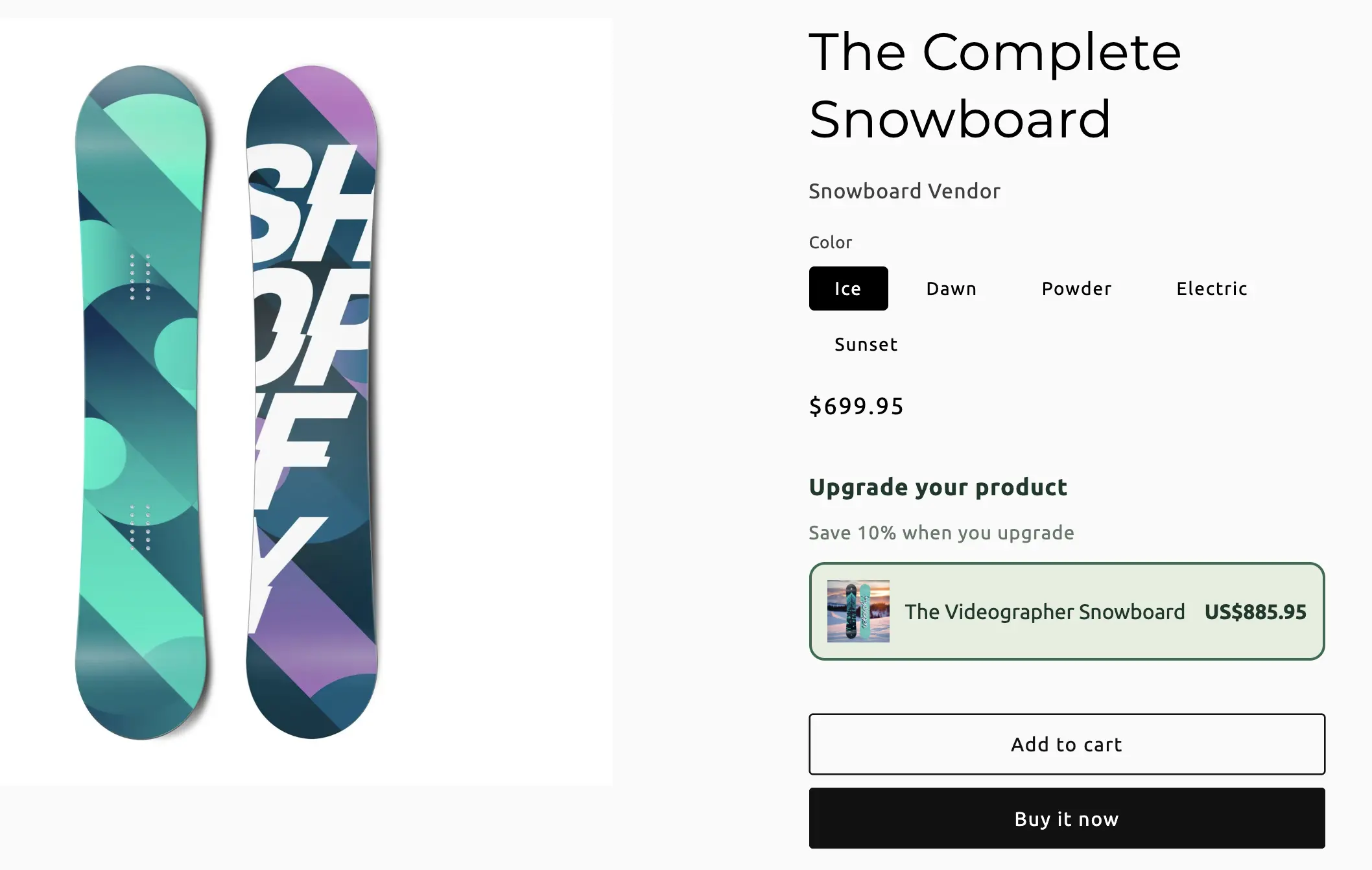
Bundle types / Product upgrades
Product upgrades
On a base product page, offer higher-value variants at the buy box — a larger size, a premium finish — with an optional percent-off incentive to switch.
When to use Product upgrades
You are not bundling several products. You are steering shoppers from the variant on the page to a better one. For extras attached to the same product, use Add-on instead.
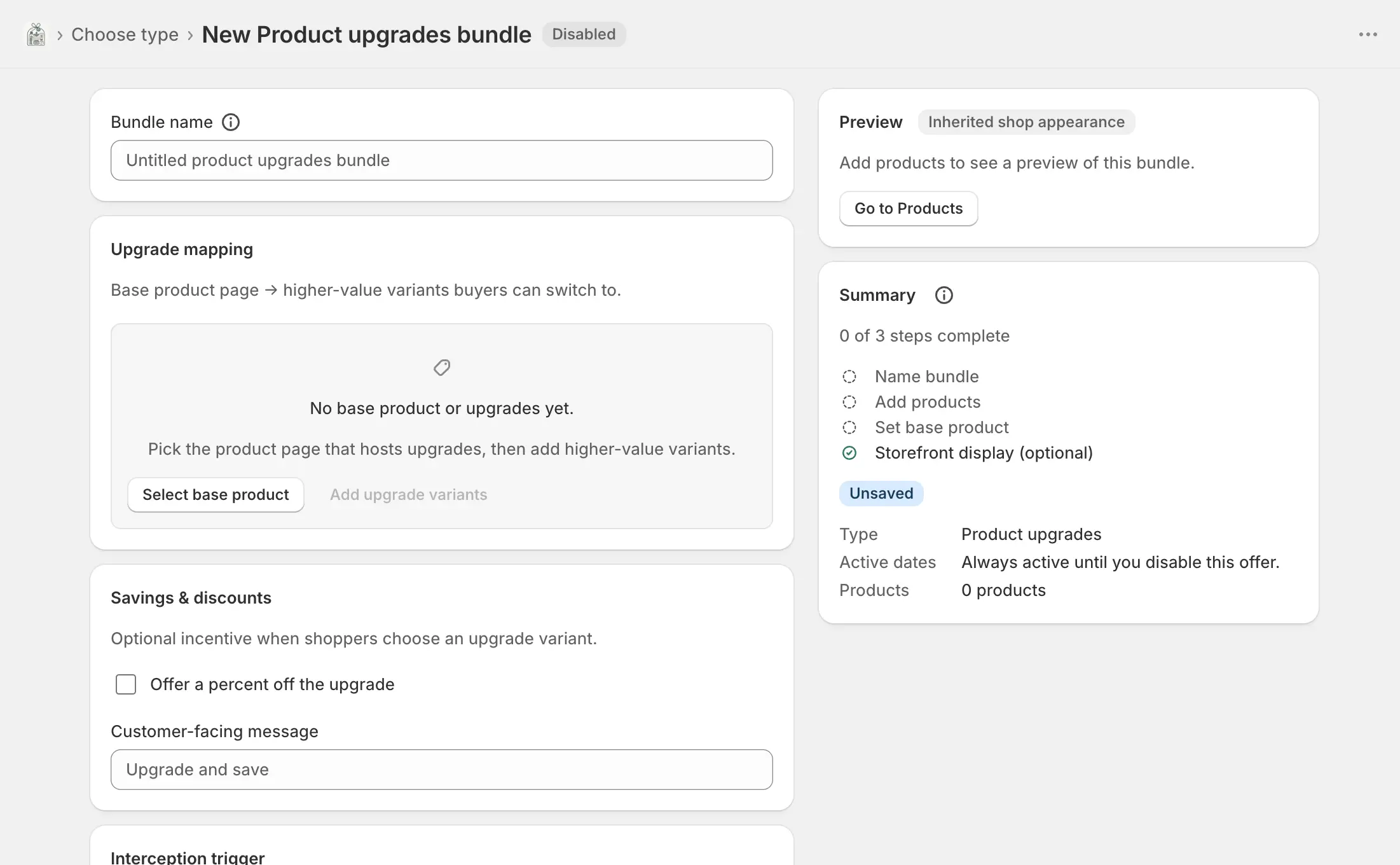
On this page
Name the bundle
Bundles → Create bundle → Product upgrades. Bundle name is internal. The widget is on by default so the picker can show on the base product page once live.
Upgrade mapping
Base product page → the higher-value variants shoppers can switch to.
- Select / change base
- The product page that hosts the upgrade picker. Required before you can add upgrade variants.
- Add upgrade variants
- Pick the variants shoppers can switch to. They can be variants of the base product or of another product. Duplicates are ignored.
- Display label
- Optional name in the picker. Use it for “1 L bottle” or “Premium kit” instead of the raw variant title.
- Remove
- Drops that upgrade. The catalog variant is unchanged.
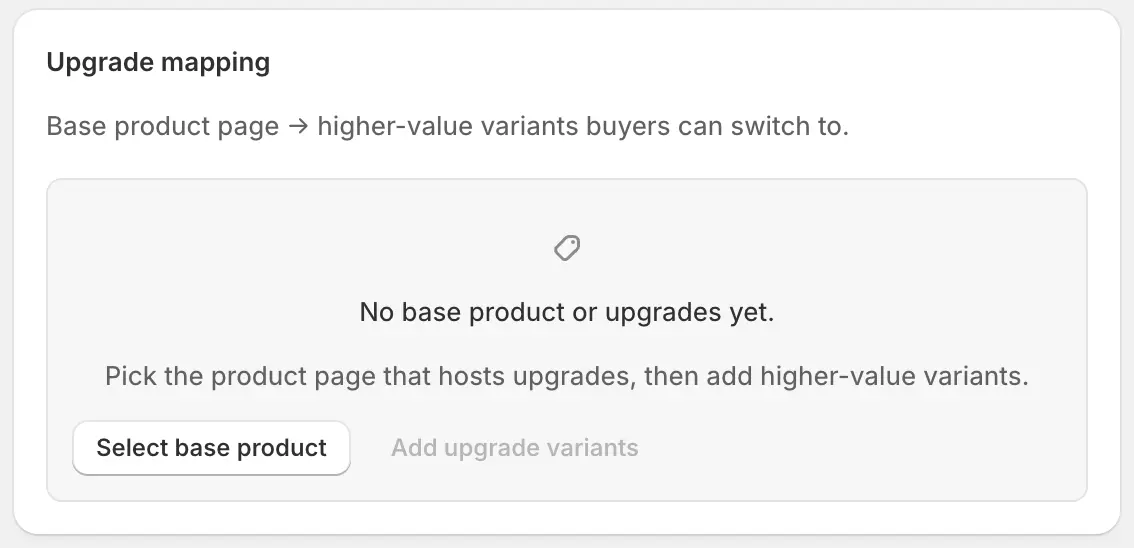
Savings and message
- Offer a percent off the upgrade
- Optional incentive. Off means shoppers pay the upgrade’s normal price. On reveals the percent field.
- Percent off
- 1–100. Applied to the selected upgrade at checkout.
- Customer-facing message
- Shown with the picker, for example “Upgrade and save”. Separate from the widget title in Appearance.
Interception trigger and dates
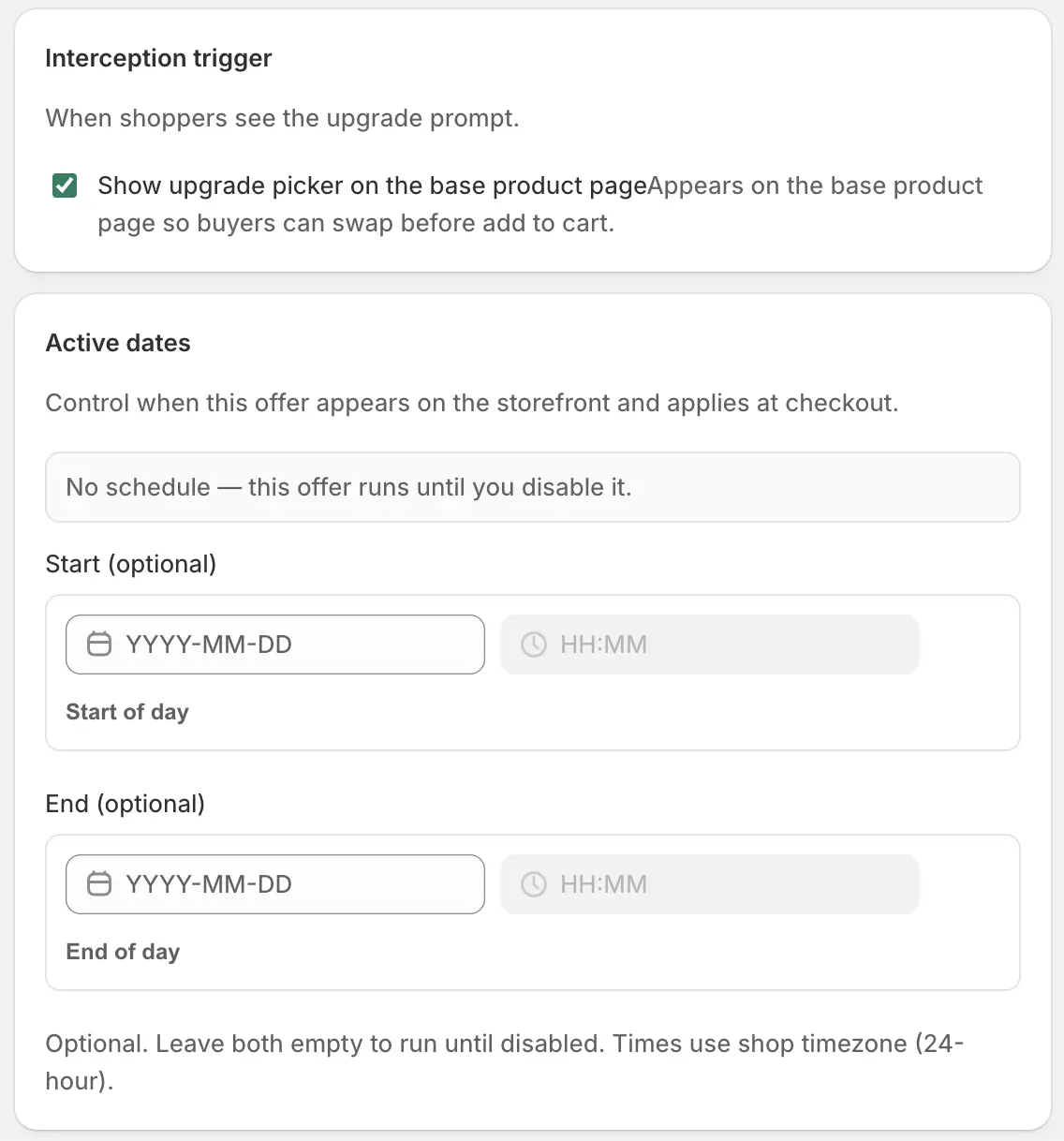
- Show upgrade picker on the base product page
- Appears on the base product so buyers can swap before add to cart. Requires the Bundle widget app embed, saved in the theme editor.
- Active dates
- Optional start and end in shop timezone. Empty means until you disable the bundle.
Offer copy, theme, and translations
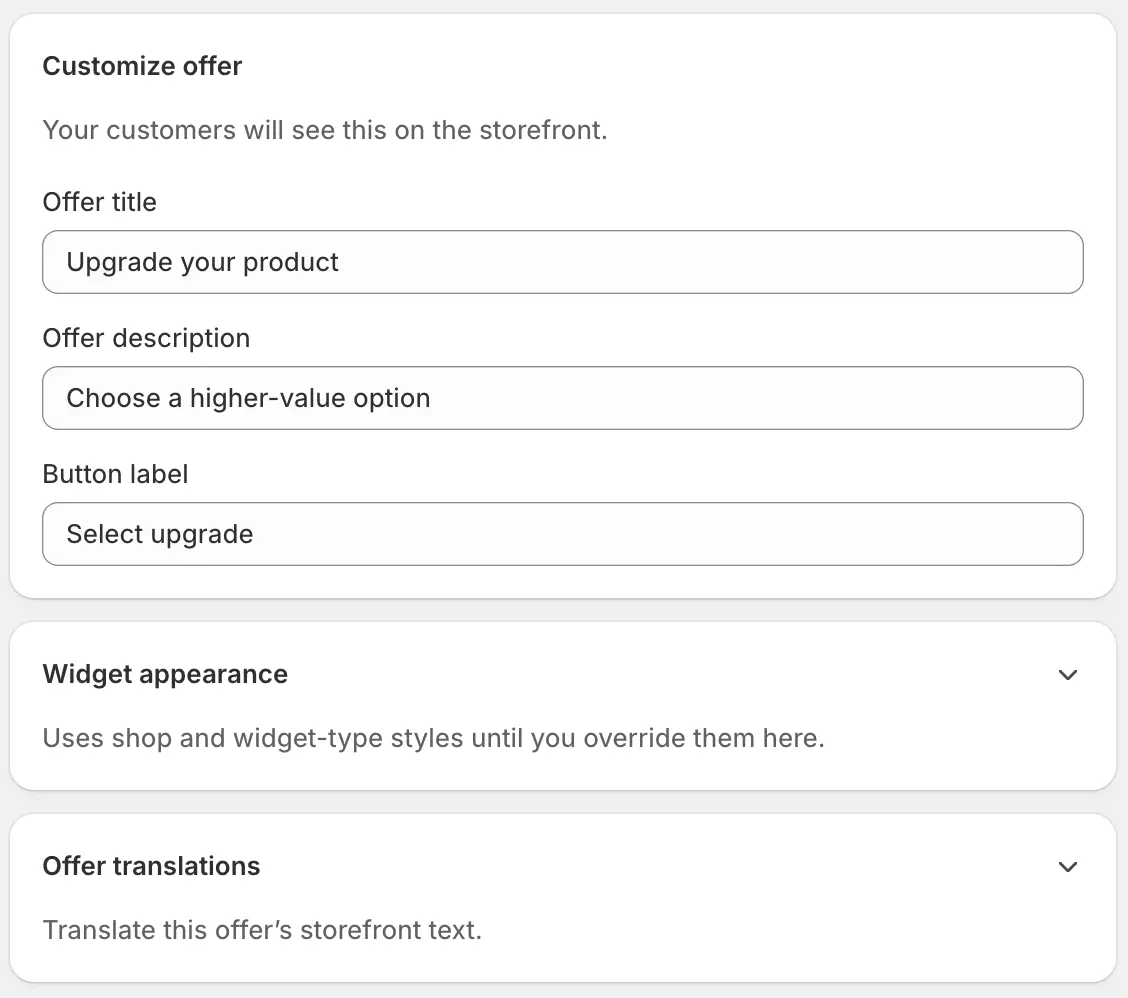
- Offer title
- Default placeholder: “Upgrade your product”.
- Offer description
- Optional supporting line under the title.
- Button label
- Usually “Upgrade” or “Select upgrade”.
- Widget appearance
- Optional theme overrides for this upgrade offer only.
- Offer translations
- Per-language title, description, button, upgrade message, and variant display labels. Blank keeps the primary-language text.
Save, enable, and go live
Create, then Enable
Save, Enable, and confirm the app embed is saved. Open the base product and switch to an upgrade before add to cart.
Wait for Enabled · Live
Sync badge. If you offered a percent off, confirm it on the upgrade line at checkout.