Bundle types / Frequently bought together
Frequently bought together
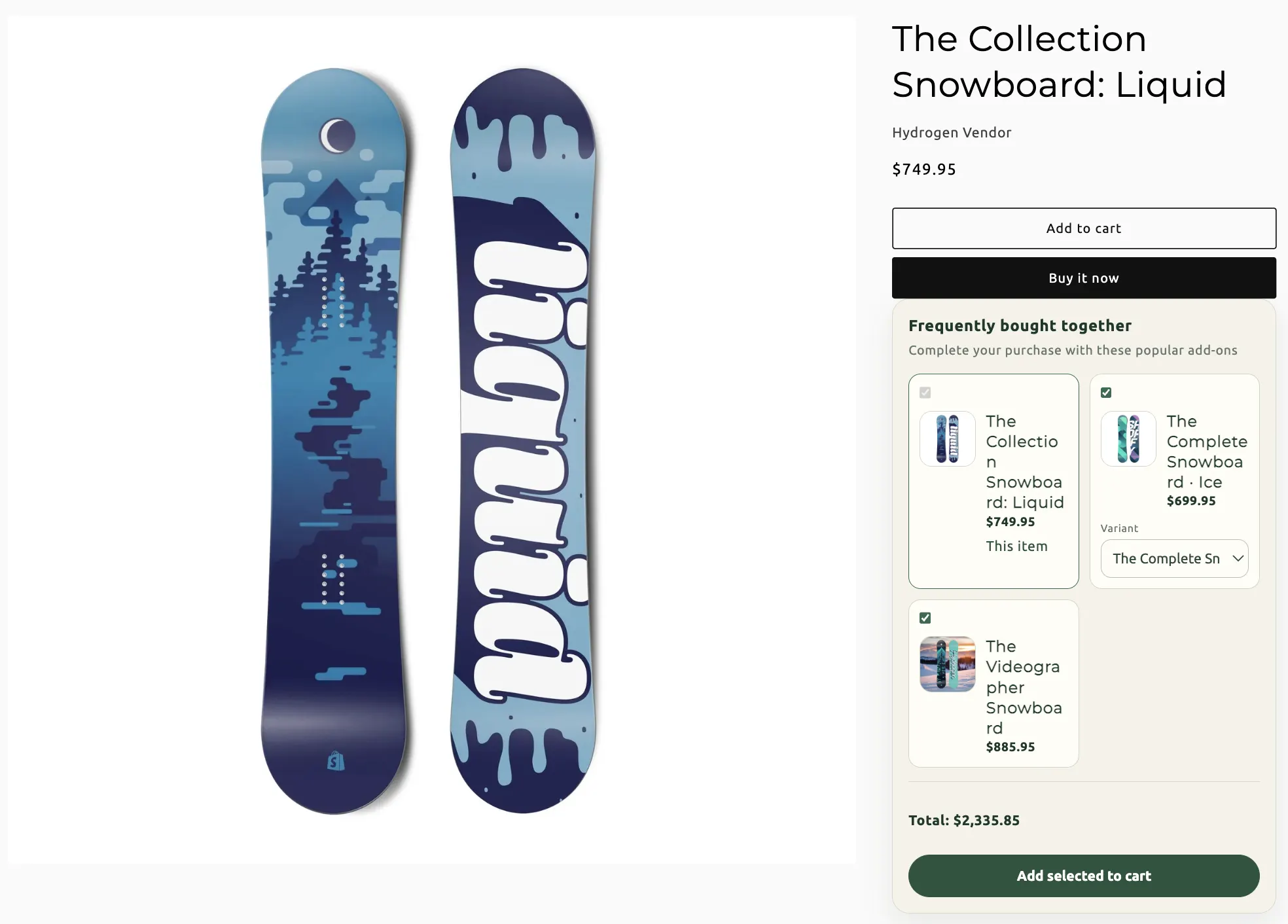
An anchor product plus companions shoppers can add in one click. Checkout applies a discount when the set is in the cart — it never merges lines into a bundle product.
When to use FBT
“Complete the look” on a product page, with an optional cart upsell for missing companions. If you need a dedicated kit page that merges into one line, use Fixed instead.
On this page
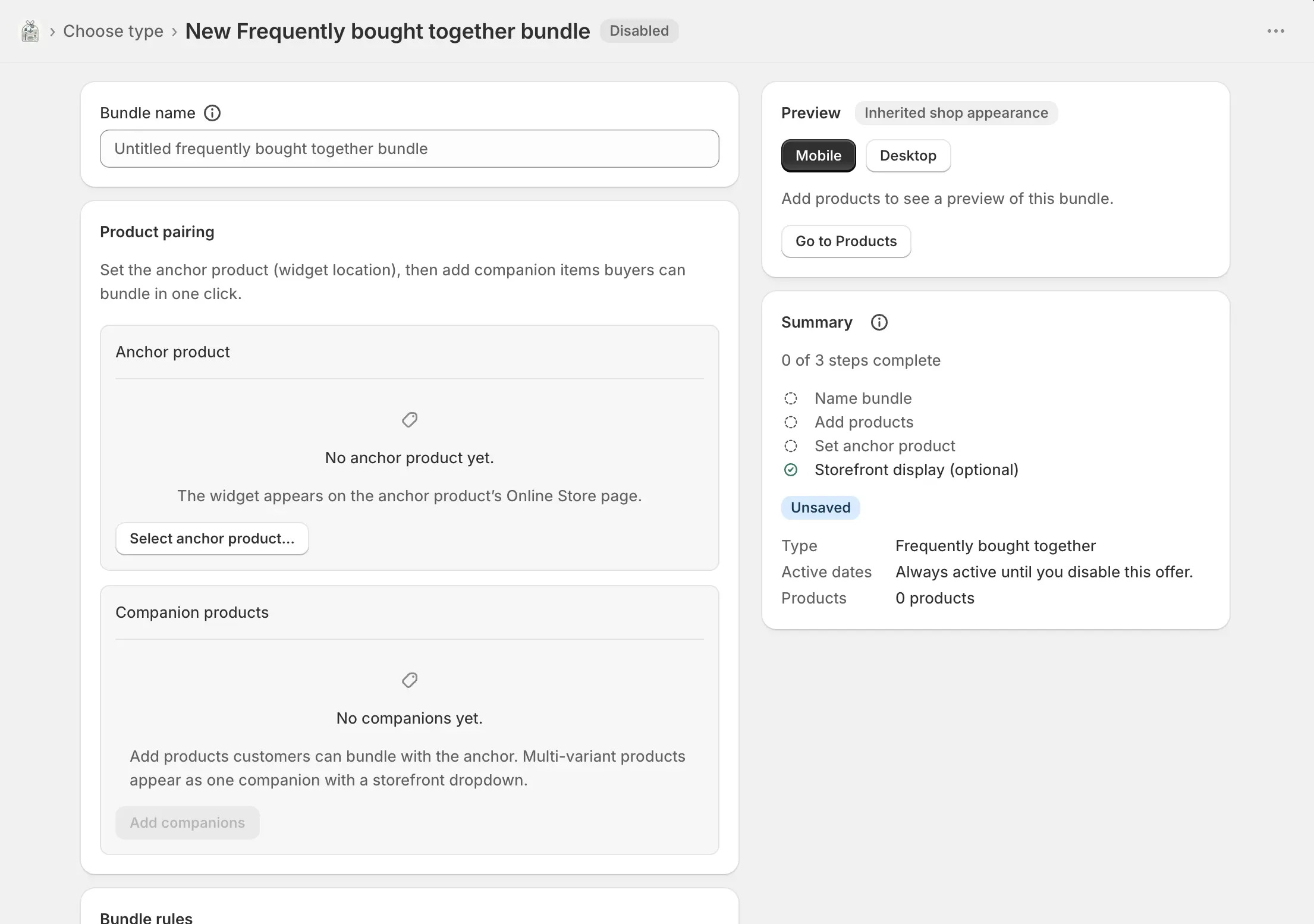
Name the bundle
Bundles → Create bundle → Frequently bought together. Bundle name is internal. Creating a Shopify bundle product is not available on this type.
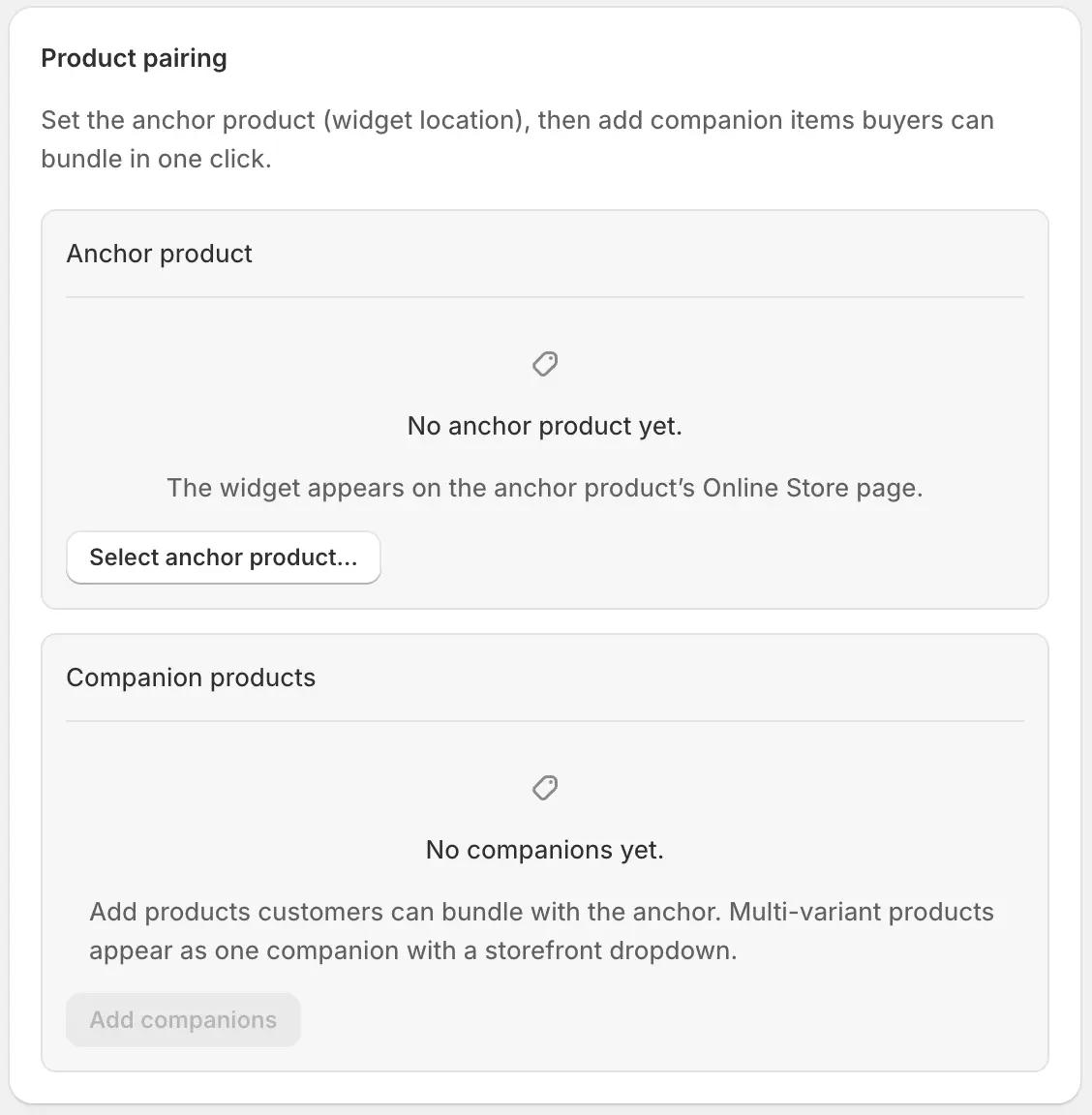
Product pairing
The widget appears on the anchor’s Online Store page. Companions are the extras shoppers can tick.
- Select / change anchor
- The product page that hosts the widget. Required before you can add companions.
- Anchor variant
- When the anchor has more than one variant, choose which variant counts as the host. Shown only if multiple variants exist.
- Add companions
- Products offered alongside the anchor. A multi-variant product is one companion with a storefront dropdown.
- Quantity
- How many units of that companion are added when selected.
- Variants
- Toggle which variants are offered. Select all current variants to include new Shopify variants that already exist. Default variant is the pre-filled choice (or Auto, first in the list).
- Widget label
- Optional short name in the widget, under Display options. Defaults to the product title.
- Pre-selected in widget
- That companion starts checked so one-click “add all” includes it unless the shopper unticks it.
- Search / remove
- Search appears once the companion list is long. Remove drops that companion; the catalog product stays.
Rules and discounts
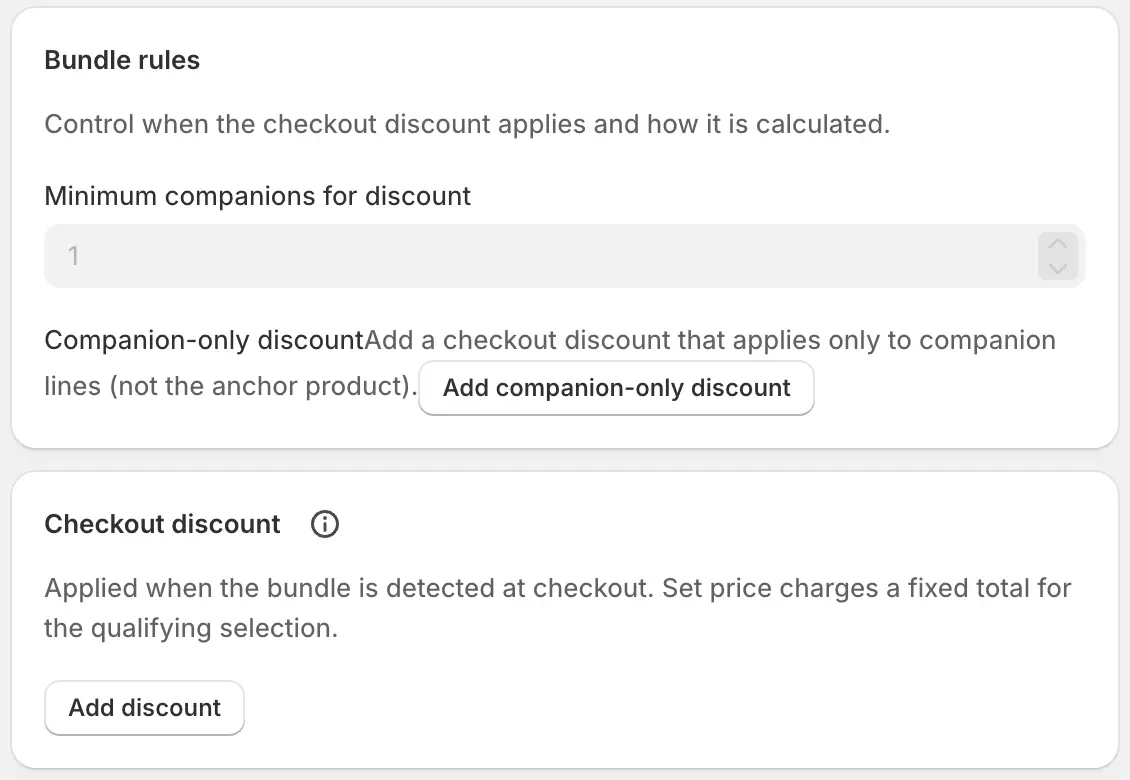
- Minimum companions for discount
- The shopper needs the anchor plus at least this many companions (capped at the number you added). Set it to the maximum to require every companion.
- Companion-only discount
- Optional extra checkout discount that applies only to companion lines, not the anchor. Add companion-only discount creates that layer.
- Checkout discount
- The main discount when detection matches: percent, fixed amount, per-unit, or set price, plus an optional message. Advanced rules (class, scope, selection, exclusive) are there if you need them.
Widget placement
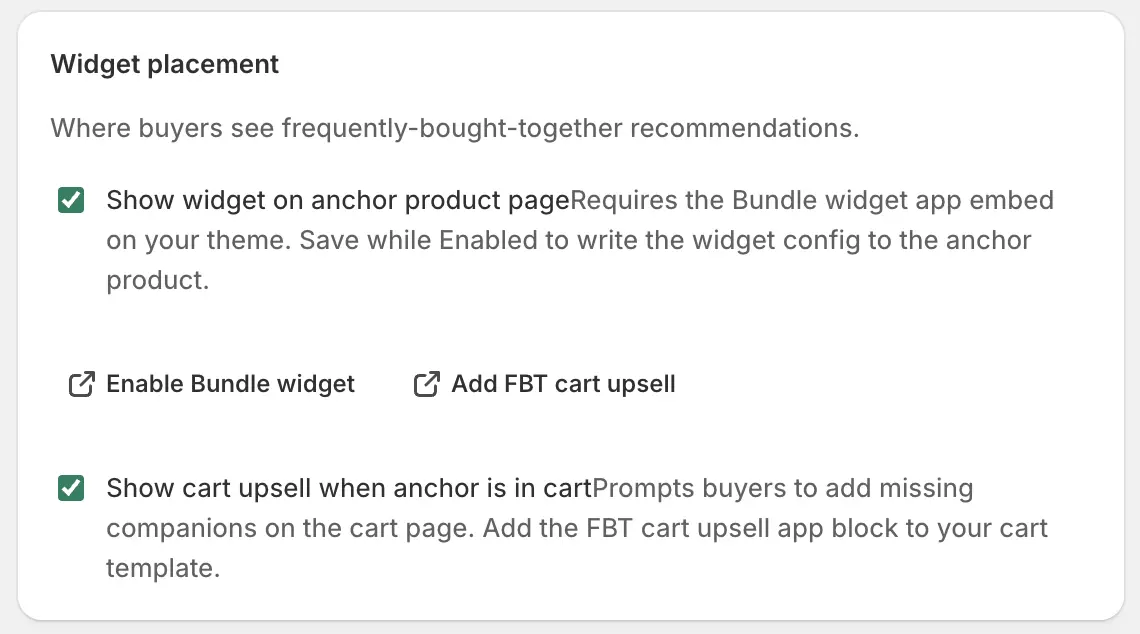
- Show widget on anchor product page
- Requires the Bundle widget app embed, saved in the theme editor. Save the bundle while Enabled to write the config onto the anchor.
- Show cart upsell when anchor is in cart
- Prompts shoppers to add missing companions on the cart page. Requires the FBT cart upsell app block on the cart template. Deep links in the editor open the theme editor in the right place.
- Active dates
- Optional start and end in shop timezone. Empty means until you disable the bundle.
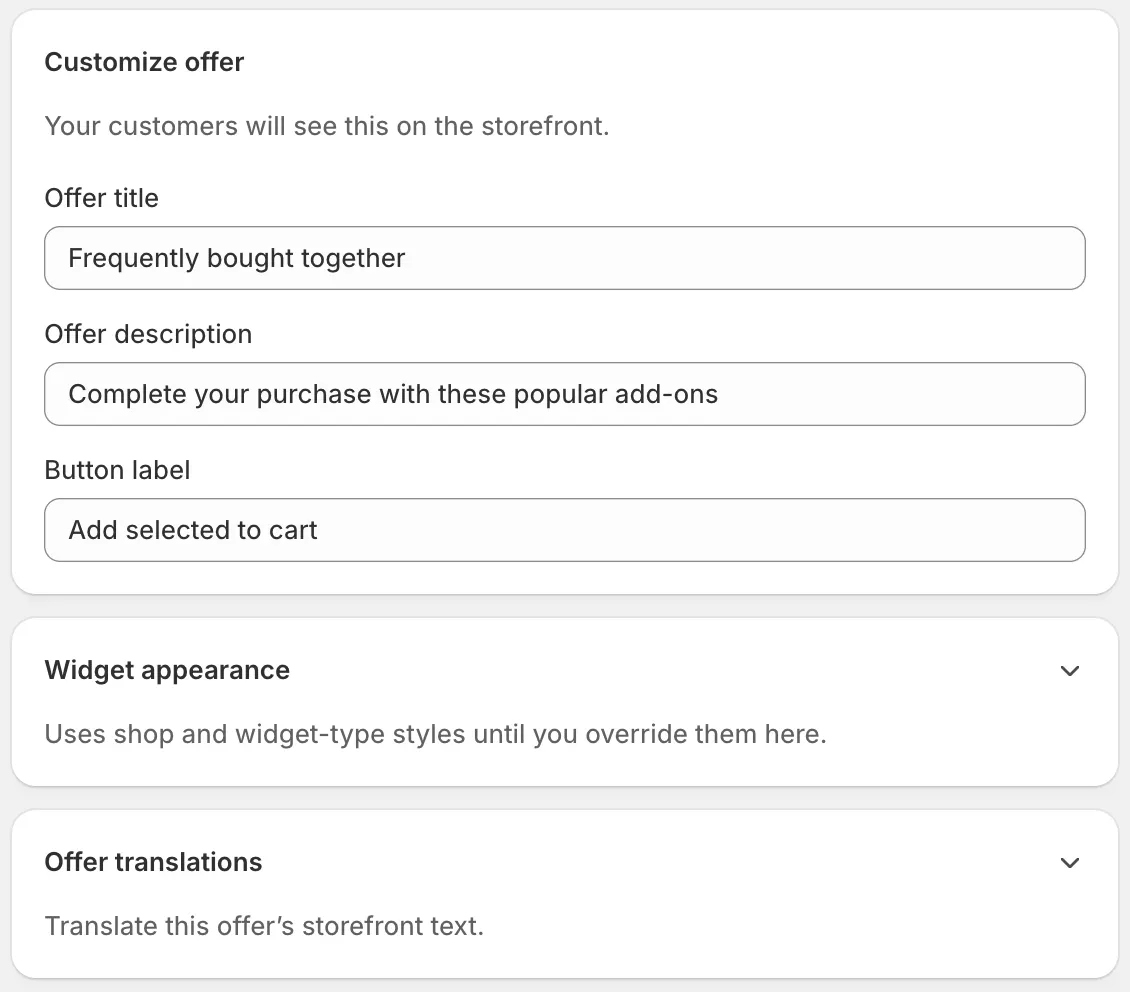
Offer copy, theme, and translations
- Offer title
- Default placeholder: “Frequently bought together”.
- Offer description
- Line under the title.
- Button label
- Usually “Add all to cart”.
- Widget appearance
- Optional theme overrides for this FBT only.
- Offer translations
- Per-language title, description, button, and companion labels. Blank keeps the primary-language text.
Save, enable, and go live
Create, then Enable
Save, Enable, and confirm both the app embed and (if you use it) the cart upsell block are saved in the theme editor.
Wait for Enabled · Live
Open the anchor product. Confirm companions, pre-selection, and the combined price. Add the set and check the discount at checkout — lines stay separate. Sync badge.