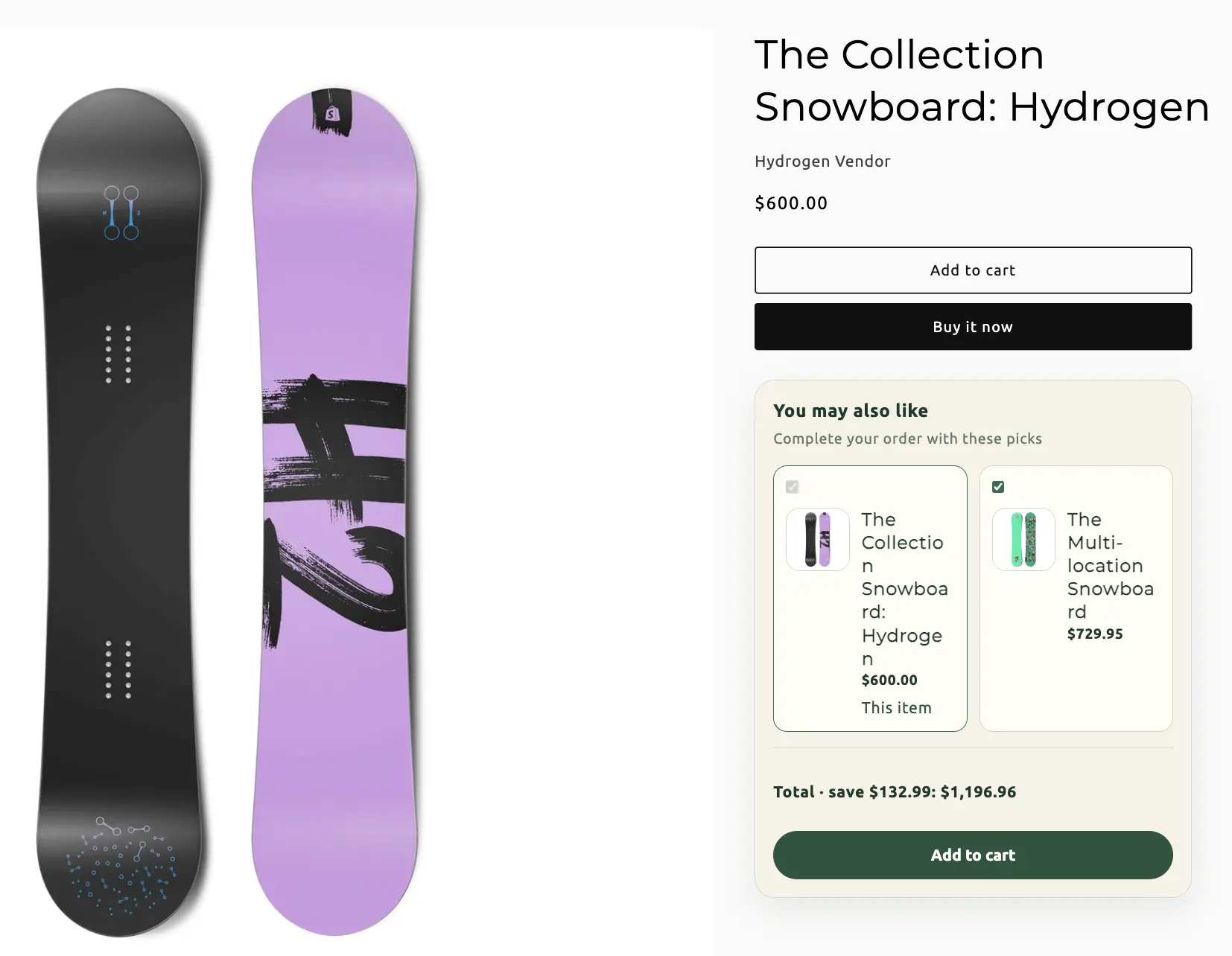
Bundle types / Cross-sells
Cross-sells
Recommend products after add to cart, or as an embedded block on the product page, the cart, or both. Optional checkout discount when recommended items are added with the anchor.
When to use Cross-sells
“You may also like” — not a required kit. If companions should sit on the product page as a frequently-bought set with a discount that requires the anchor, Frequently bought together is the closer fit. Cross-sells can still share that pairing UI and an optional discount.
On this page
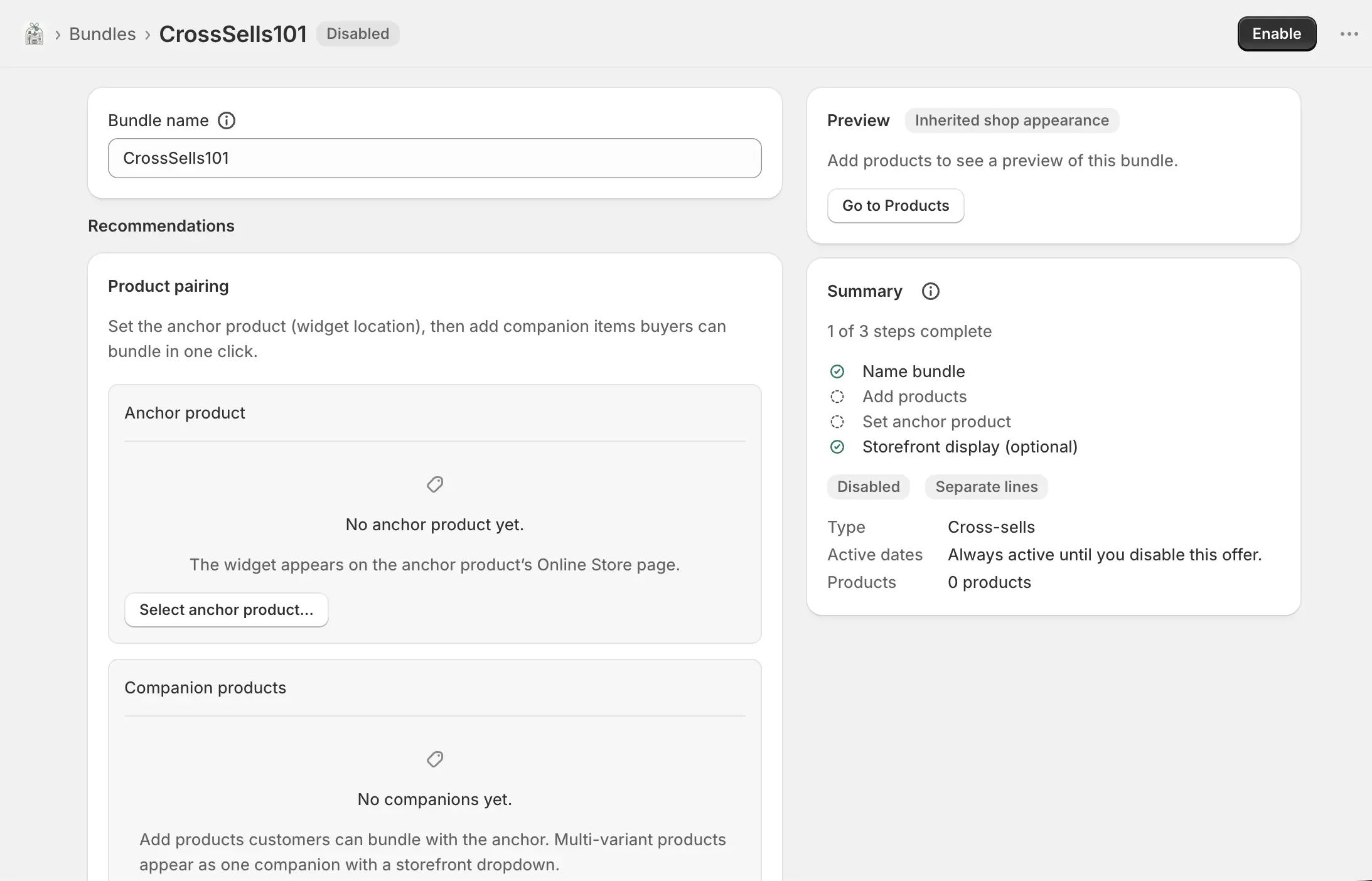
Name the bundle
Bundles → Create bundle → Cross-sells. Bundle name is internal. Storefront display defaults to an embedded block on both product and cart until you change it.
Recommendations
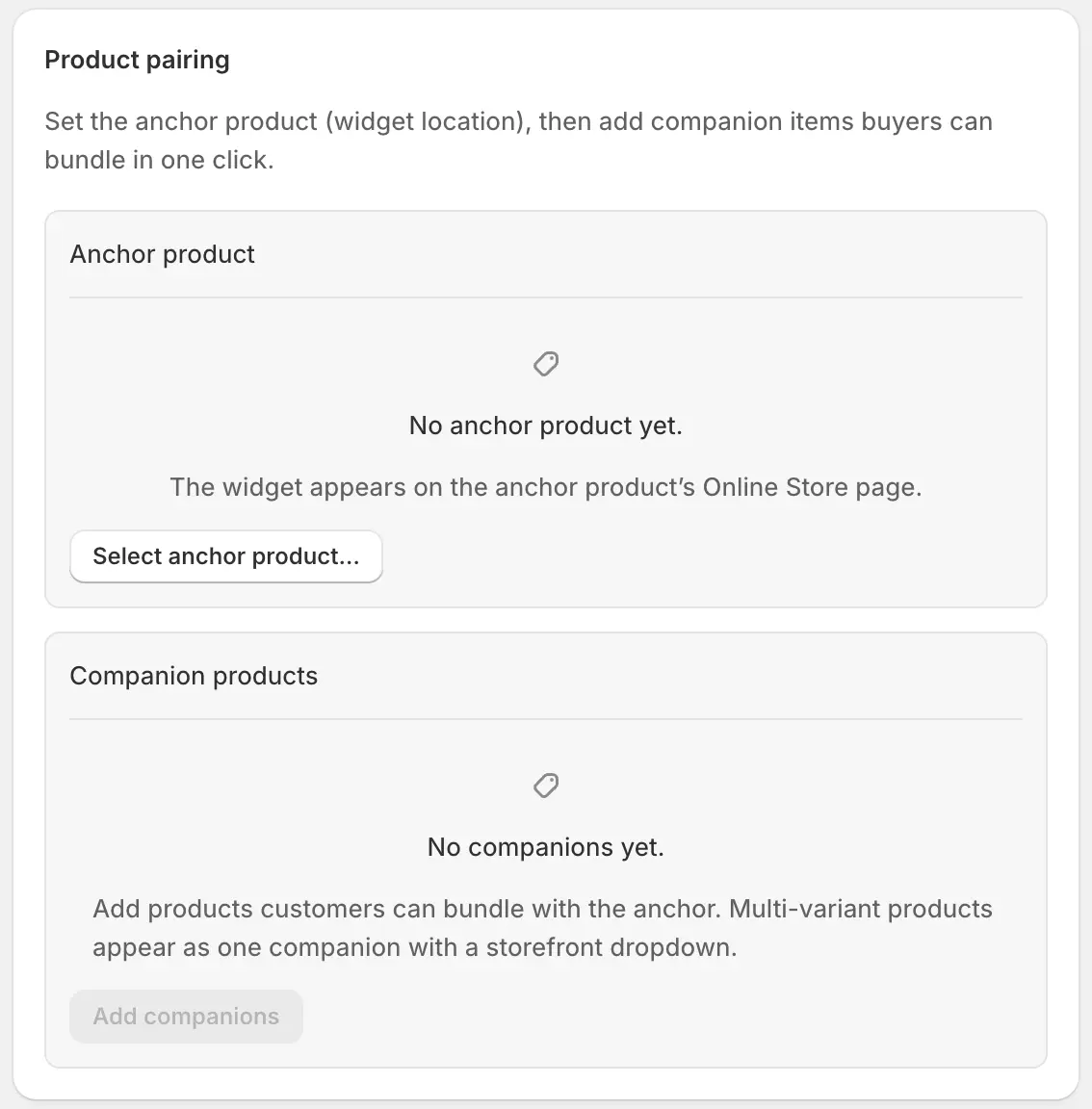
Same pairing model as Frequently bought together: an anchor (where the offer is triggered) and companions (what you recommend).
- Select / change anchor
- The product that triggers the pop-up or hosts the embedded block.
- Anchor variant
- When the anchor has multiple variants, pick the host variant.
- Add companions
- Recommended products. Multi-variant products use a dropdown.
- Quantity, variants, default, label, pre-selected
- Same per-companion controls as FBT: units added, which variants are offered, default variant, optional widget label, and whether the item starts selected.
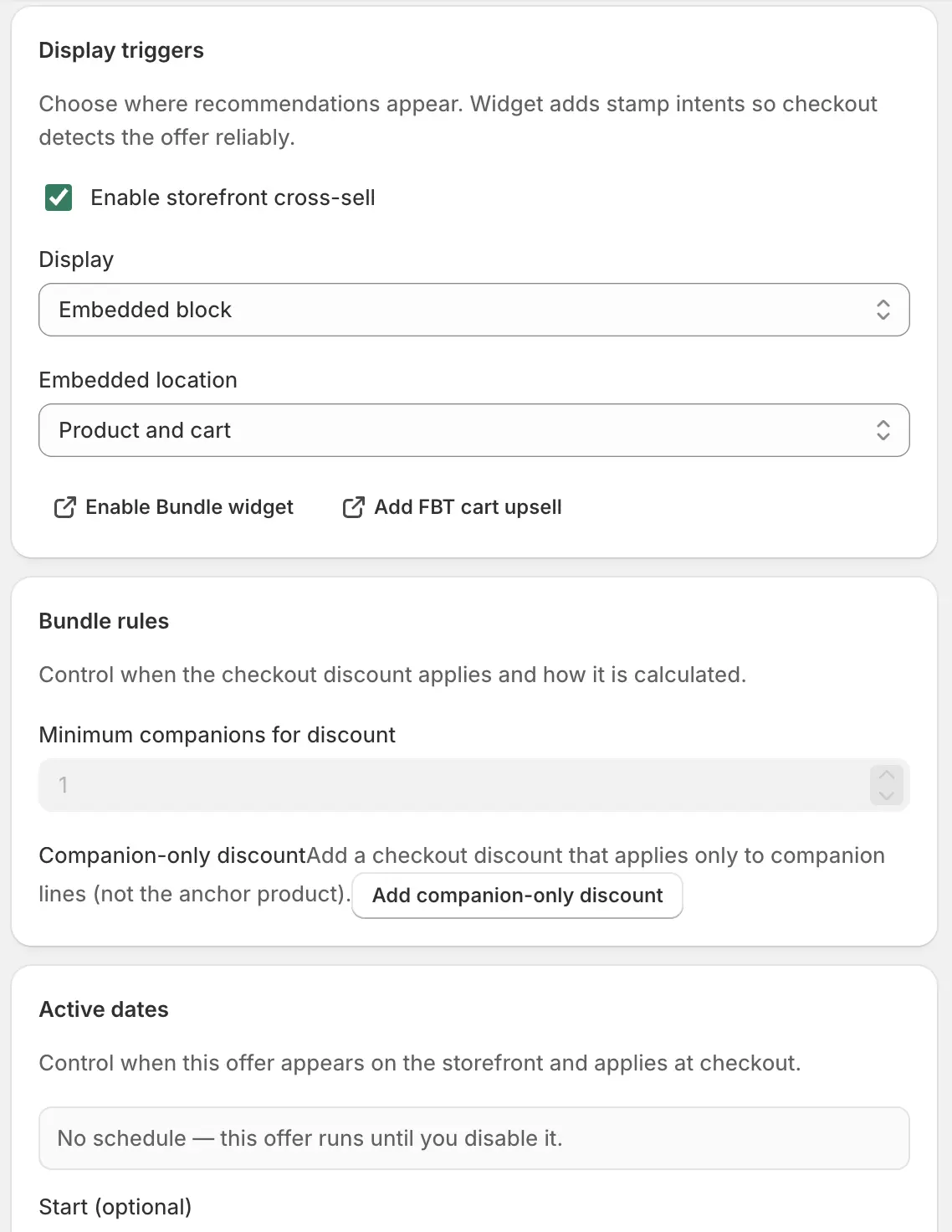
- Minimum companions for discount
- Under Bundle rules: how many recommended items must be in the cart with the anchor before a checkout discount applies. Only relevant if you add a discount.
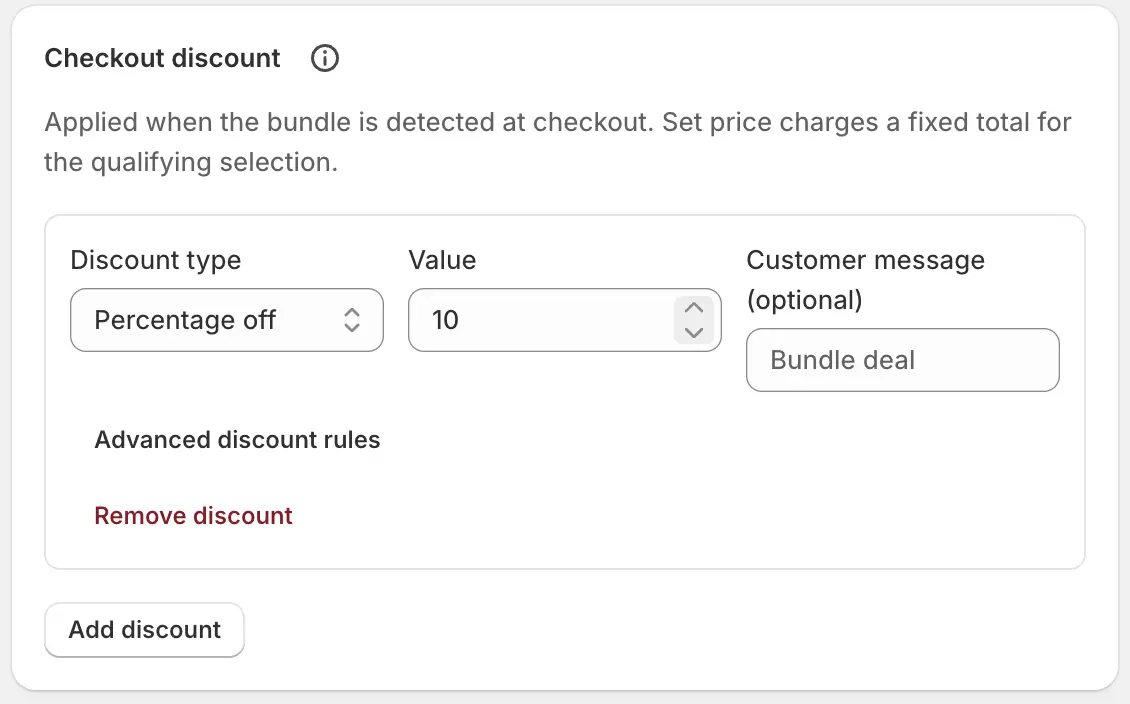
Checkout discount
Optional. Leave empty to recommend at full price. When set, the discount applies once detection matches (anchor plus the minimum companions). Type, value, message, and advanced layer rules match other checkout-discount cards. There is no custom cart-transform price override on this type.
Display triggers
Widget adds stamp intents so checkout can detect the offer reliably. Turn the whole cross-sell off with Enable storefront cross-sell.
- Enable storefront cross-sell
- Master switch. Off hides the pop-up and the embedded block.
- Pop-up (after add to cart)
- Shows recommendations after the shopper adds the anchor. Requires the Bundle widget app embed, saved in the theme editor.
- Embedded block
- Inline recommendations instead of a pop-up. Then choose location: product page, cart page, or both.
- Product page embed
- Uses the Bundle widget embed on the anchor product.
- Cart page embed
- Uses the FBT cart upsell app block on the cart template. The editor links open the theme editor in the right place.
- Active dates
- Optional start and end in shop timezone.
Offer copy, theme, and translations
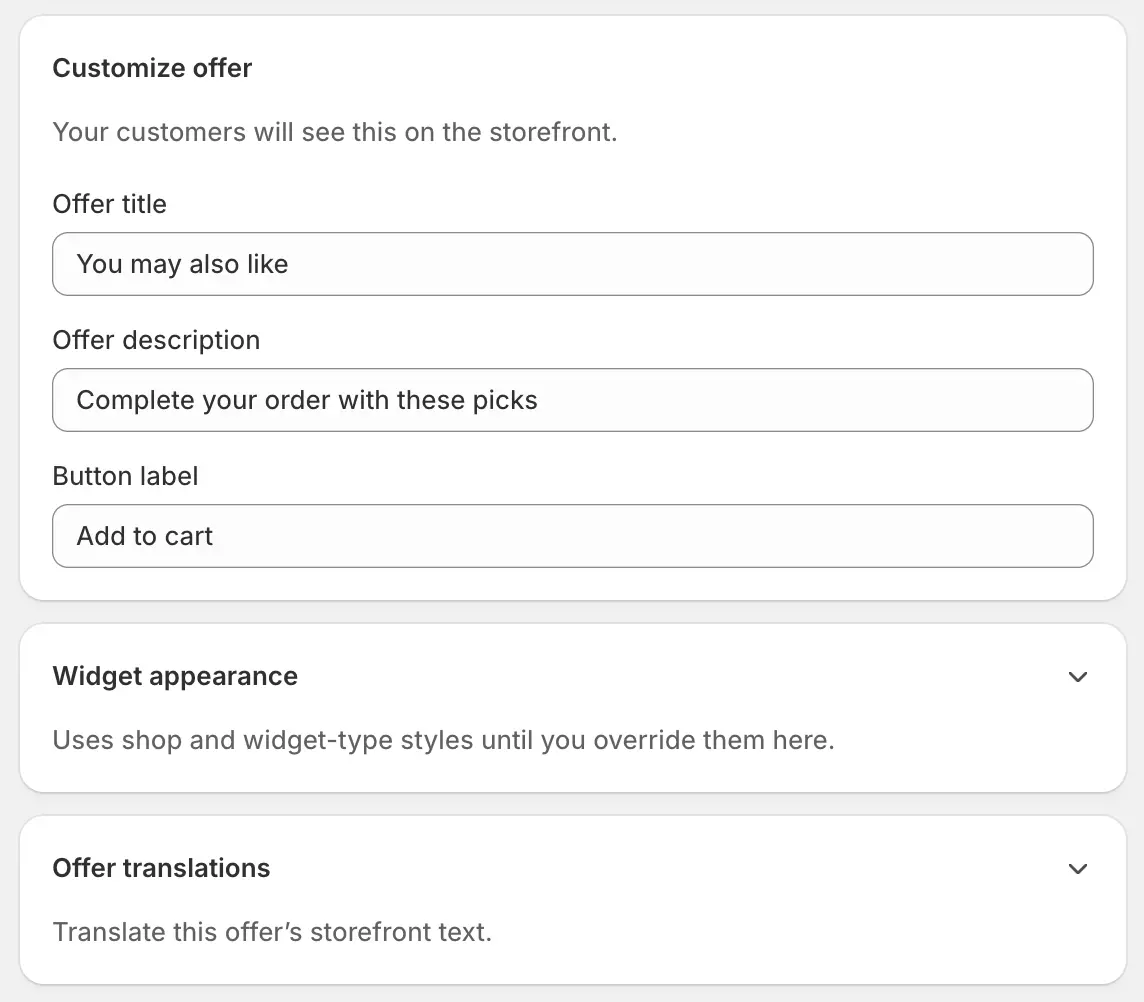
- Offer title
- Default placeholder: “You may also like”.
- Offer description
- For example “Complete your order with these picks”.
- Button label
- Usually “Add to cart”.
- Widget appearance
- Optional theme overrides for this cross-sell only.
- Offer translations
- Per-language title, description, button, and companion labels.
Save, enable, and go live
Create, then Enable
Save, Enable, and save the matching theme embed or cart block. Add the anchor to the cart and confirm the pop-up or embedded block appears where you chose.
Wait for Enabled · Live
Sync badge. If you set a discount, add a recommended item and confirm it at checkout.