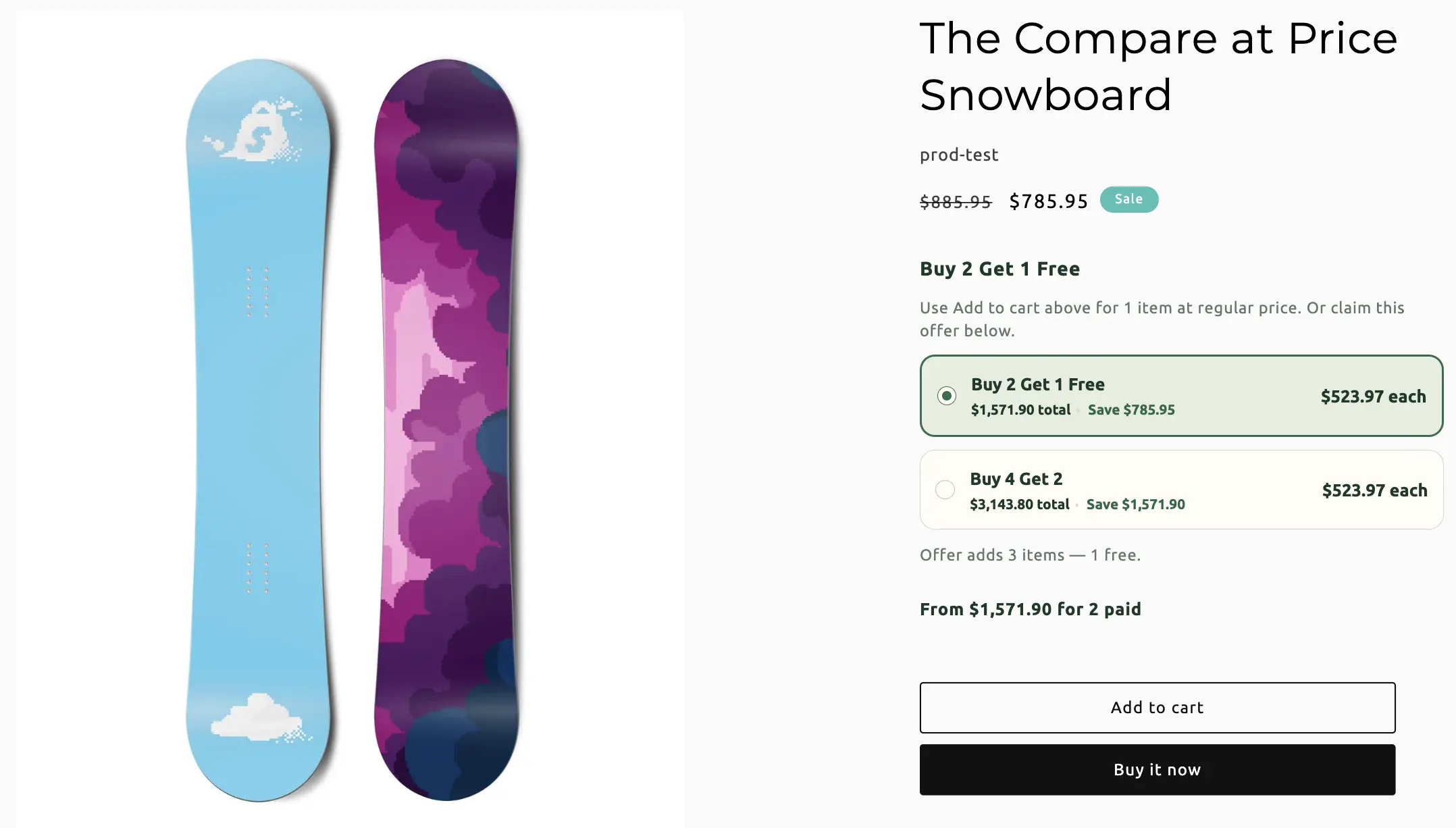
Bundle types / Buy X Get Y
Buy X Get Y
Shoppers buy a quantity (or a pool of products) and get a reward: free, percent off, a fixed amount off, or a set price. Same product or a different reward pool.
When to use Buy X Get Y
Classic BOGO, “buy 2 get 1 50% off”, or “buy shampoo get conditioner free”. If the discount is only “buy more of this SKU cheaper”, Multipack is usually simpler.
On this page
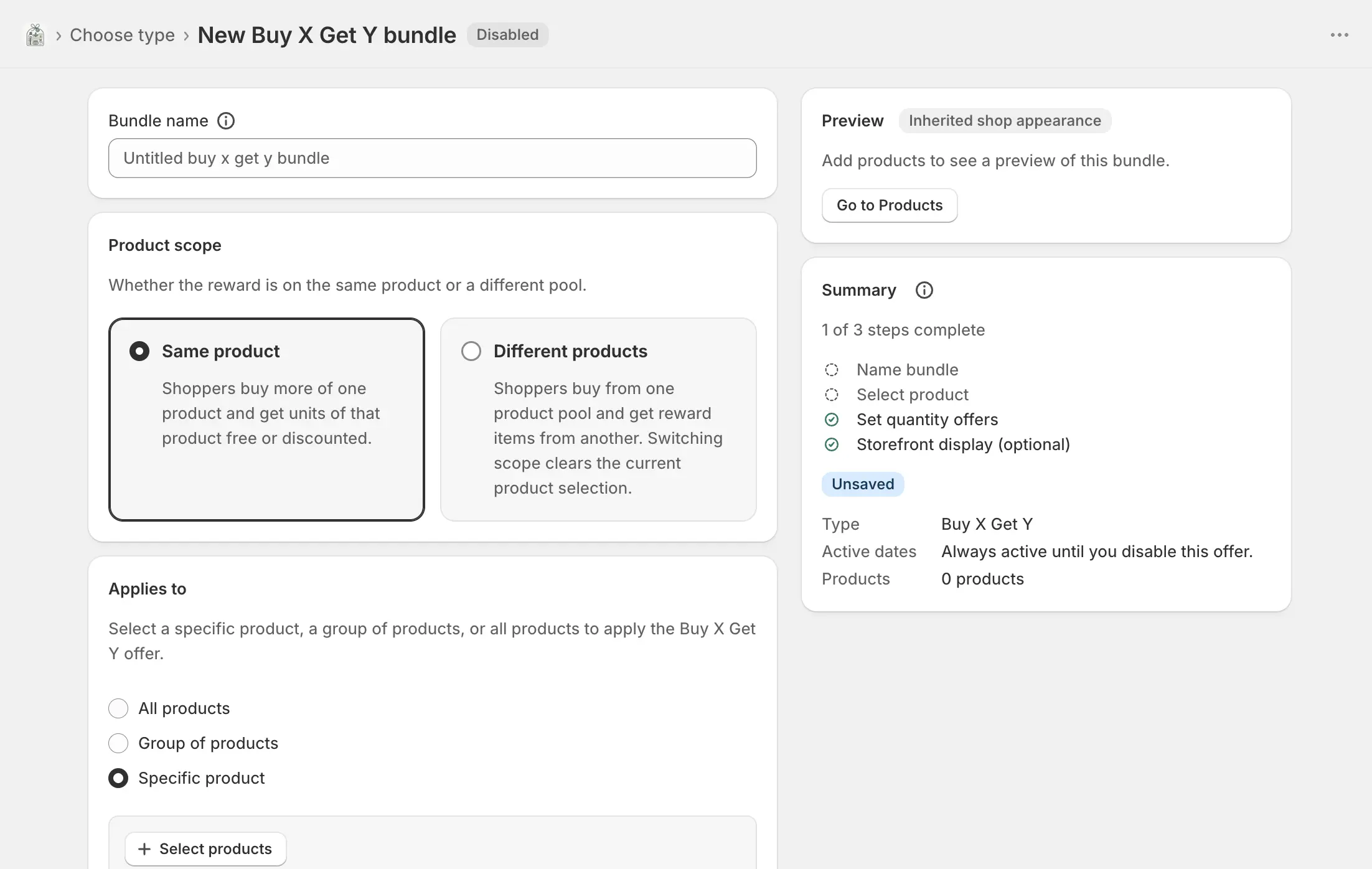
Name the bundle
Bundles → Create bundle → Buy X Get Y. Bundle name is internal. The widget is on by default.
Product scope and products
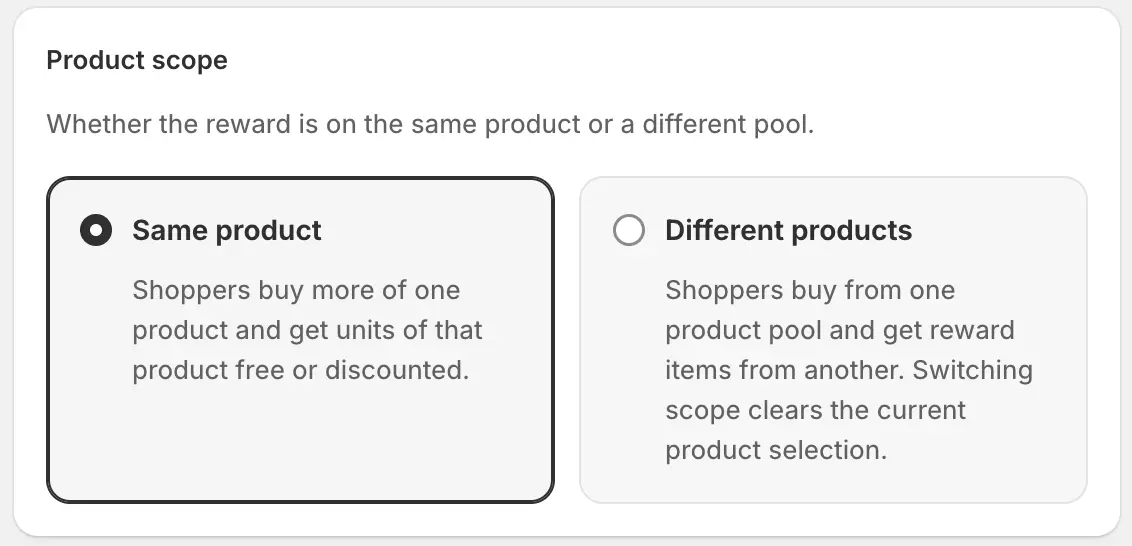
Switching scope after products are selected clears the current selection — confirm before you switch.
- Same product
- Shoppers buy more of one product (or a group, or the whole catalog except exclusions) and get units of that same offer free or discounted. Targeting reuses Multipack-style Applies to: all products, group, or specific product, including exclusions and Edit variants. Only one all-products Buy X Get Y is allowed per shop.
- Different products
- Customer buys (X) is the qualifying pool. Customer gets (Y) is the reward pool. Add buy products / Add get products separately.
- Default variant / display label
- On each pool product: which variant is the default, and an optional storefront label. Remove drops it from that pool.
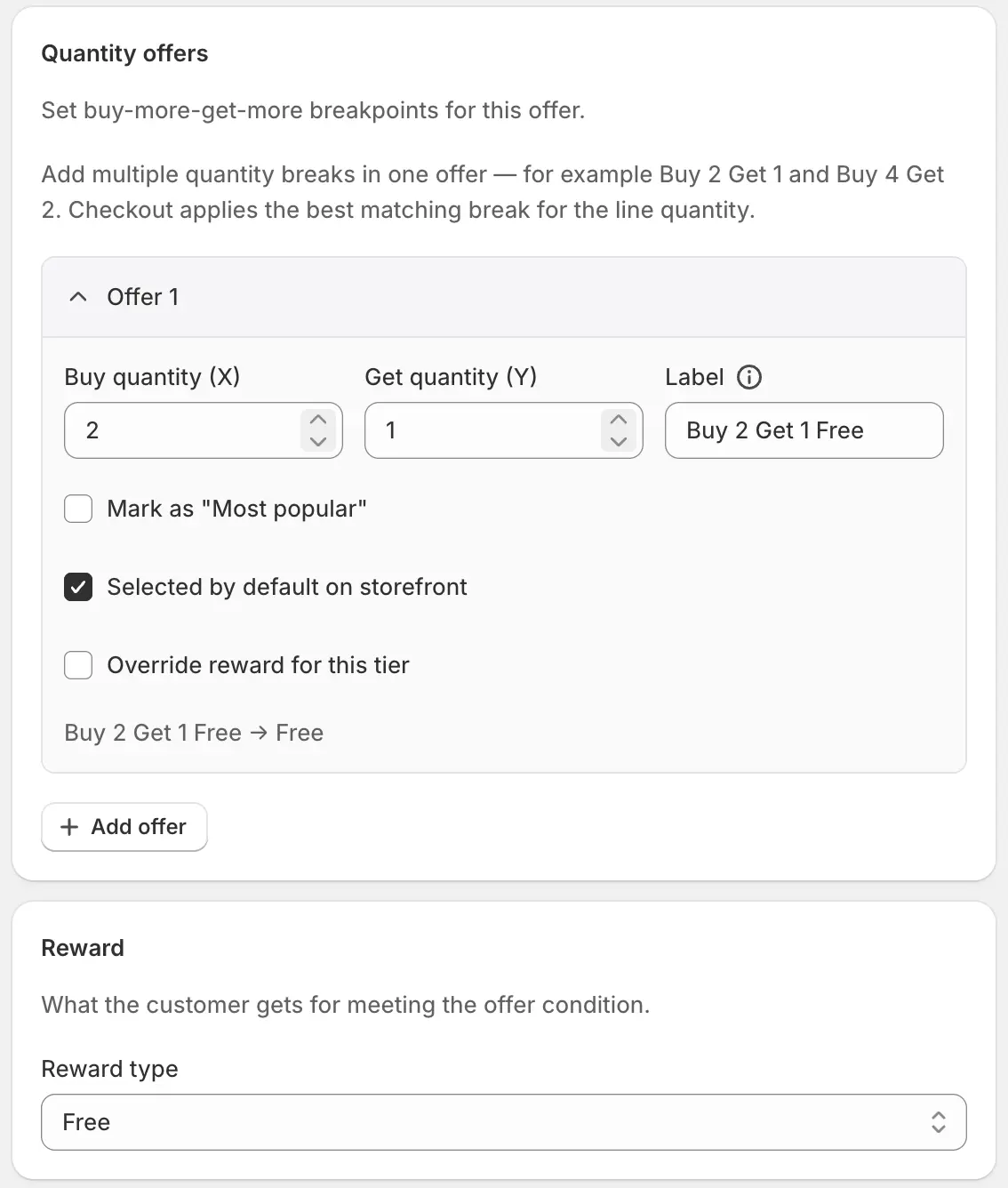
Quantity offers and reward
- Buy / Get
- Units the shopper must buy, and units they get. In different-products mode, Get cannot exceed the number of distinct reward products.
- Title
-
Storefront title for the tier. You can use
{buy},{get}, and{qty}(buy + get). Empty falls back to “Buy X Get Y”. - Badge label
- Optional chip on that option. If you highlight a tier without a badge label, shoppers see “Most popular”.
- Highlight / default tier
- Marks the featured offer. One default tier is pre-selected.
- Per-tier reward (optional)
- A tier can override the global reward type and value so “Buy 2 Get 1 free” and “Buy 4 Get 2 at 50% off” can coexist.
- Add / remove option
- Add another breakpoint. Remove when more than one exists.
- Reward type
- Free, percent off, fixed amount off, or fixed price per reward item. Percent, amount, and set price need a value.
- Apply discount to
- Different-products only: cheapest reward item, most expensive, or all reward items. Also used when the widget auto-picks rewards. Shoppers who choose their own rewards keep that selection.
Copy, price display, behavior, and dates
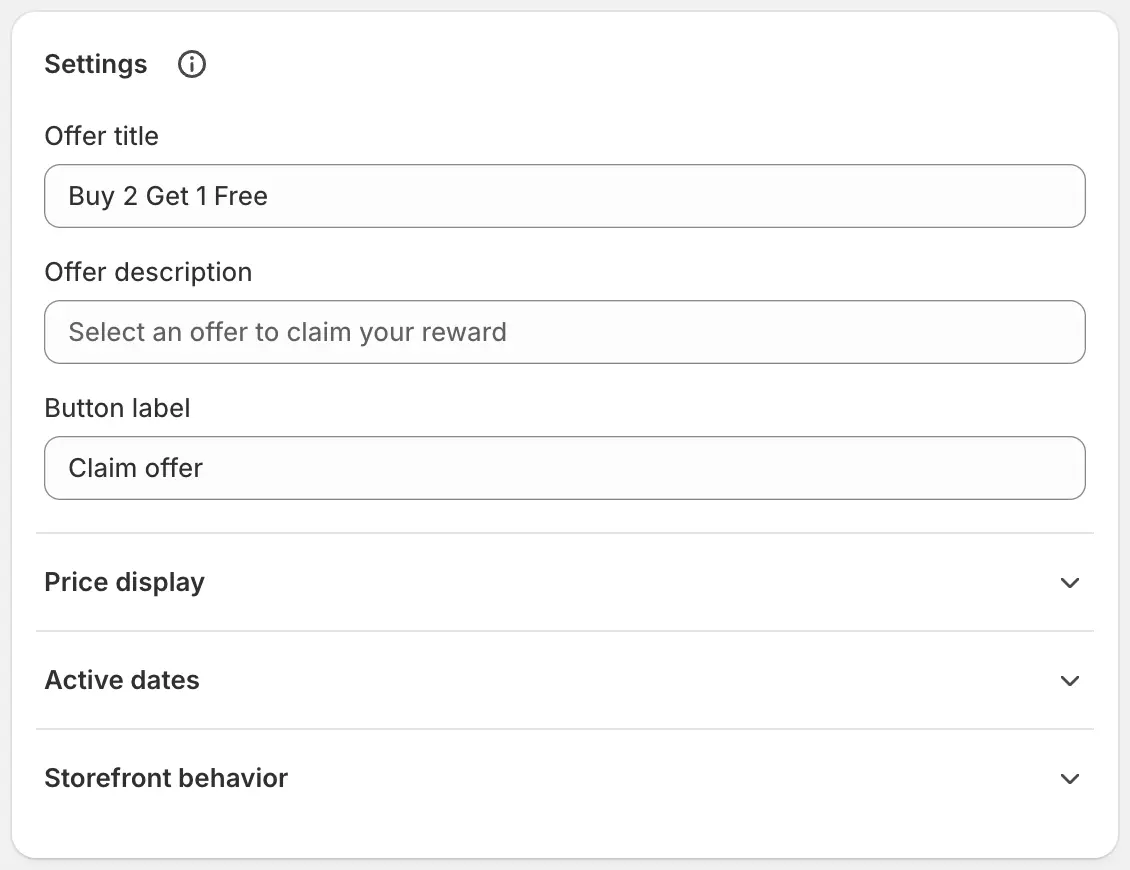
- Offer title / description / button
- Widget copy. Placeholders like “Buy more, get more” and “Claim offer”.
- Price display
-
Same toggles as Multipack: unit price, bundle total, savings
amount, savings percentage, original price — each with a label
template (
{price},{amount},{percentage}). - Reward add mode
- Different-products only. Tier list + inline reward, tier list + reward popup, or tier list + auto-add the default reward.
- Let customers choose their rewards
- Different-products only. Off: rewards are assigned in Customer gets order (first reward products for each tier).
- Show cart progress
- Progress toward the next reward while items sit in the cart.
- Mark reward lines with a BOGO badge
- Adds a line property so reward items are identifiable in the cart.
- Active dates
- Optional start and end in shop timezone.
- Offer translations
- Per-language copy, tier labels, and price-display templates.
Widget theme
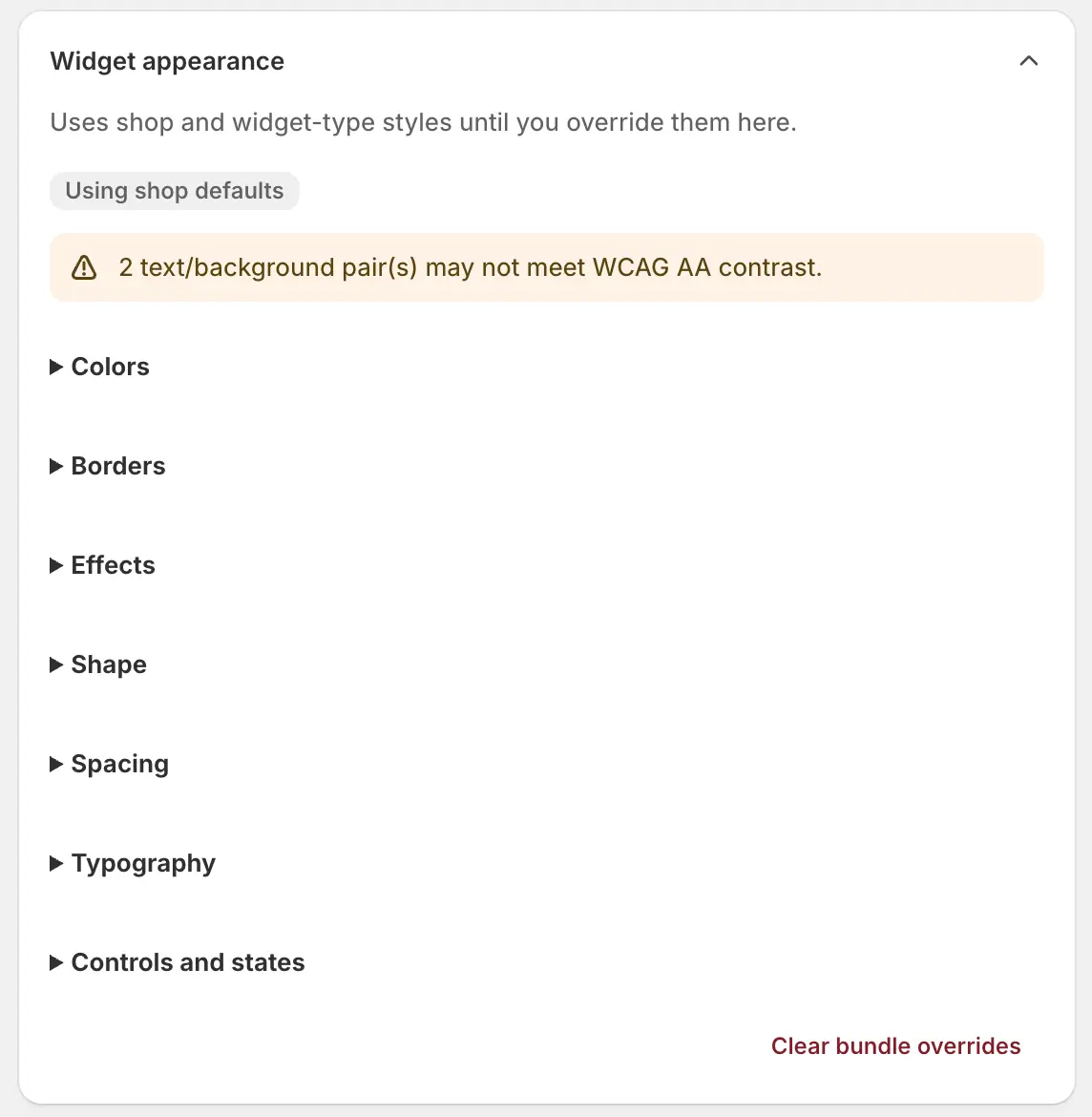
Optional colour and type overrides for this offer. Empty tokens inherit shop defaults. Reset restores inheritance.
Save, enable, and go live
Create, then Enable
Save, Enable, and confirm the Bundle widget embed is saved. Open a buy-pool (or same-product) page and claim a tier through checkout.
Wait for Enabled · Live
Sync badge. Confirm the reward lands on the right lines and, if you use it, cart progress updates as quantities change.