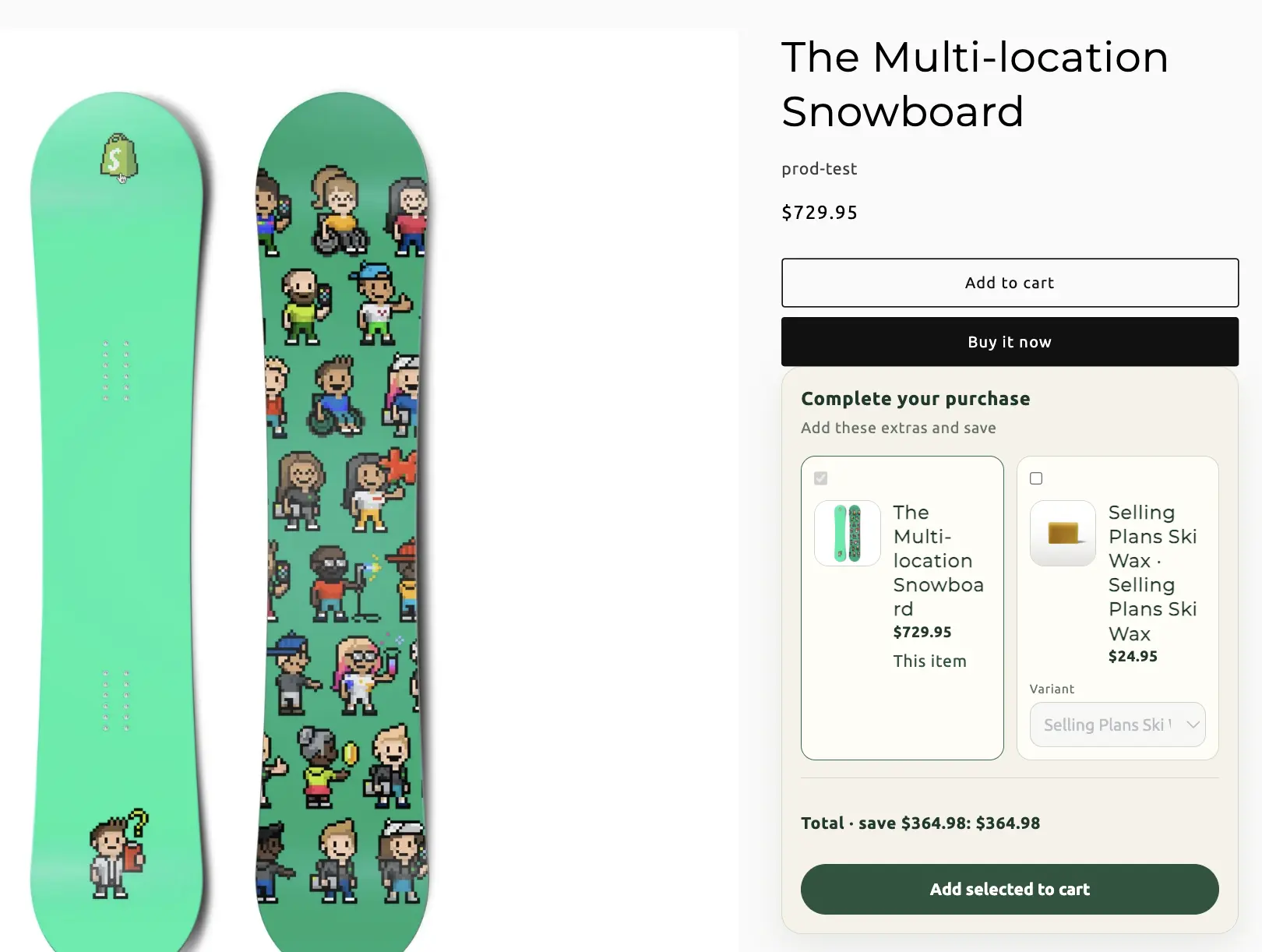
Bundle types / Add-on
Add-on bundles
Require one product, then offer discounted extras on its product page. Checkout applies the deal when the required item and qualifying add-ons are in the cart.
When to use Add-on
Warranties, gift wrap, extra bottles, protection plans — anything that only makes sense attached to a specific product. Shoppers must buy the required item; extras are optional within the limits you set.
On this page
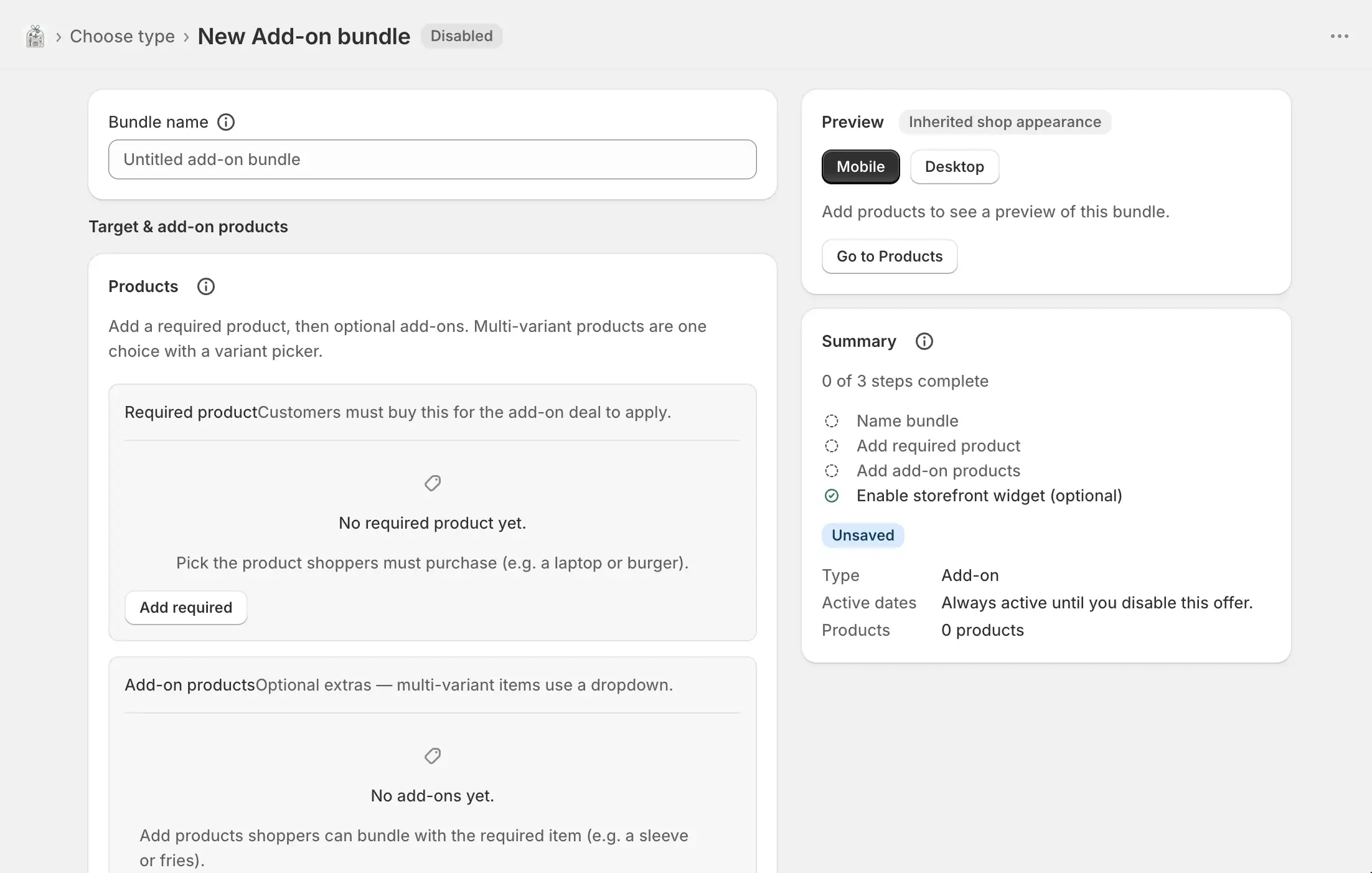
Name the bundle
Bundles → Create bundle → Add-on. Bundle name is internal. The widget is on by default so extras can show on the required product page once live.
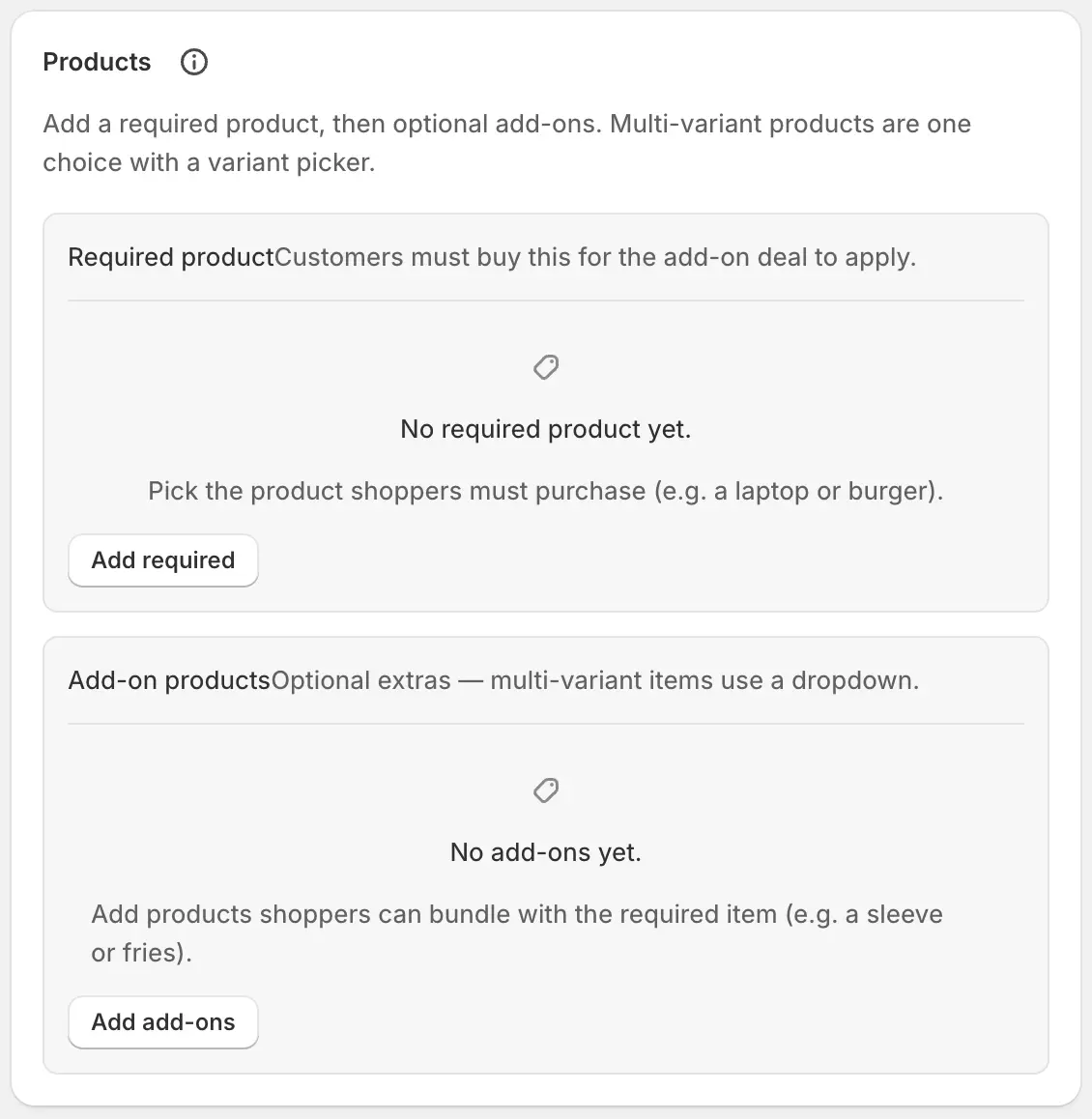
Required product and add-ons
Two roles. A multi-variant product is one choice with a variant picker — customers pick one variant, not several from the same product.
- Add required
- The product whose page hosts the widget. Shoppers must buy this (within the quantity bounds) for the deal to apply.
- Add add-ons
- Optional extras offered with the required product.
- Quantity
- Units added when that product is selected.
- Variants
- Toggle offered variants, Select all current variants, and Default variant (or Auto, first in the list).
- Move to required / Move to add-ons
- Reassign a product if it landed in the wrong role. Unassigned products show a warning until you move them.
- Internal ID
- Developer option. Used by discounts and rules. Auto-generated if you leave it.
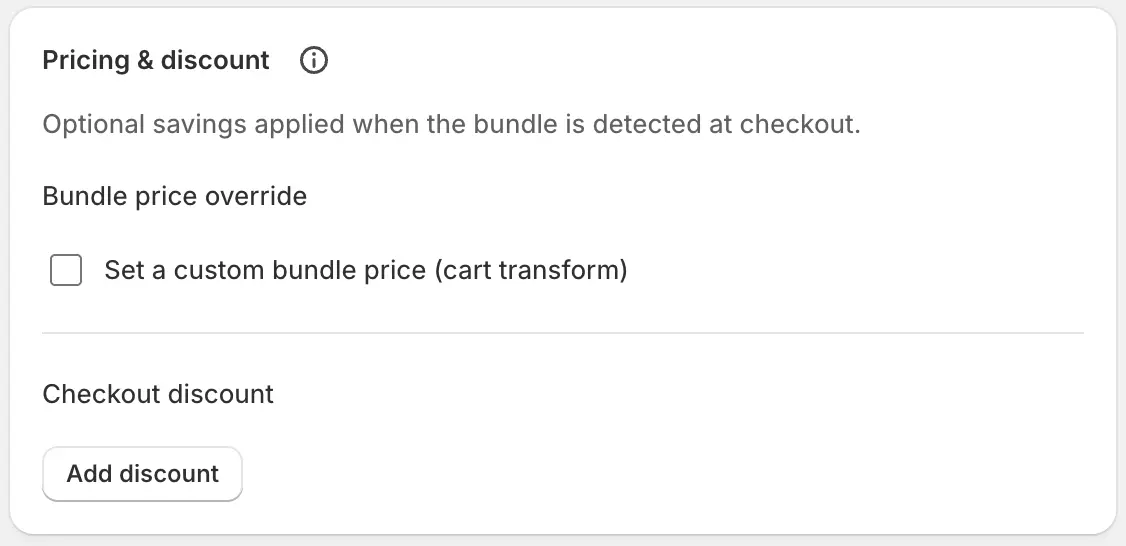
Pricing and discounts
Optional custom bundle price (cart transform) and checkout discounts. For add-ons, the useful pattern is a checkout discount scoped to the add-on group so extras are cheaper only when the required product is present.
- Set a custom bundle price
- Percent or fixed amount off via cart transform. Advanced scope can target the bundle, a group, or a component — group/component overrides do not apply if checkout were merging into a bundle product line (add-on does not create one).
- Checkout discount
- Type (percent, fixed amount, per unit, set price), value, and customer message. Add discount for extra layers.
- Advanced discount rules
- Layer id, product vs order class, scope (bundle / group / component), target group (Required product or Add-ons), target component, selection (all, cheapest, best of group), and Exclusive (stops other layers).
Quantity rules, placement, and dates
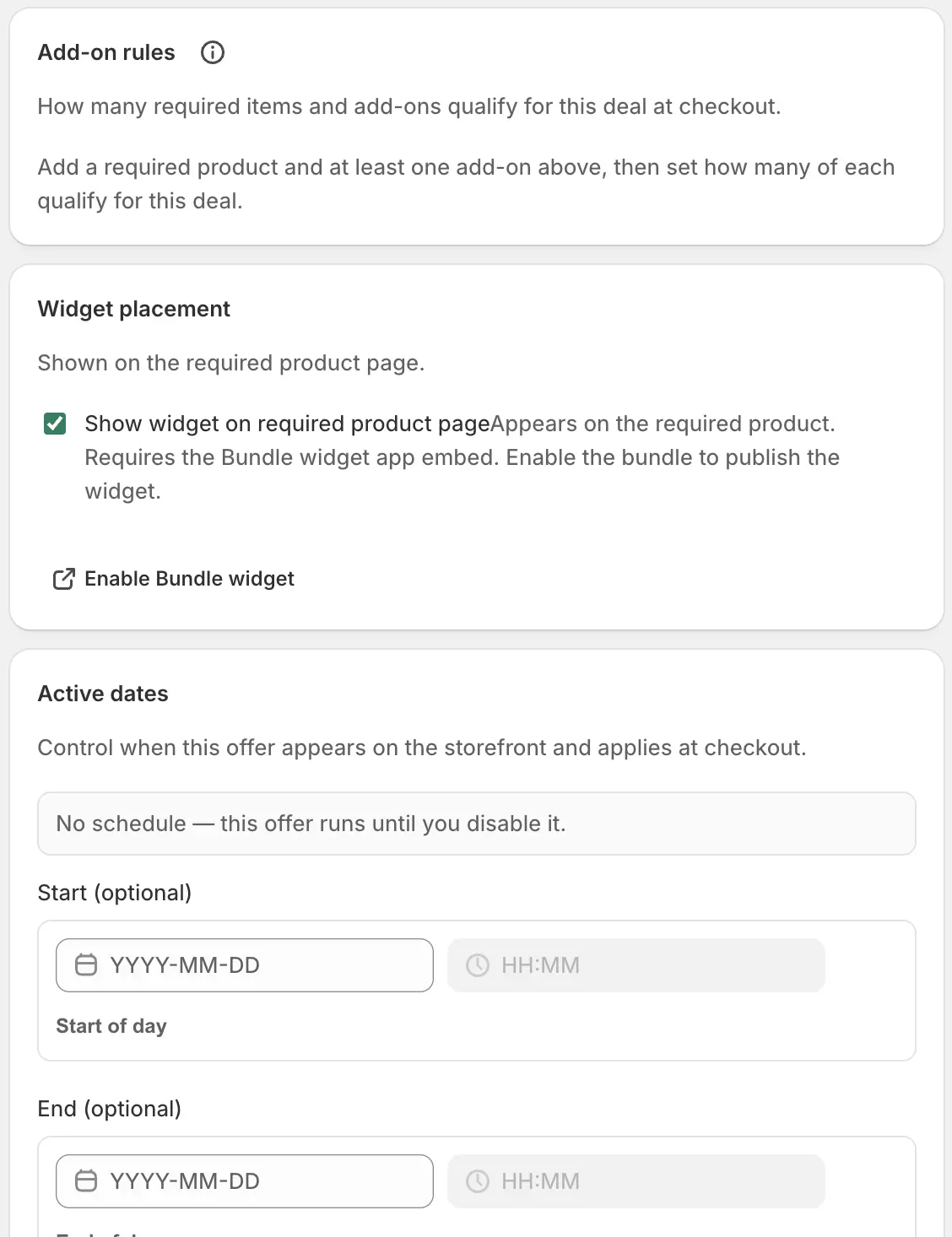
- Required product bounds
- Min and max units of the required item that qualify. Minimum is at least 1.
- Add-ons bounds
- How many extras may be selected. Min 0 makes extras optional; raise min if at least one extra is required for the deal.
- Show widget on required product page
- Needs the Bundle widget app embed, saved in the theme. Enable the bundle to publish the widget onto that product.
- Active dates
- Optional start and end in shop timezone. Empty means until you disable the bundle.
Offer copy, theme, and translations
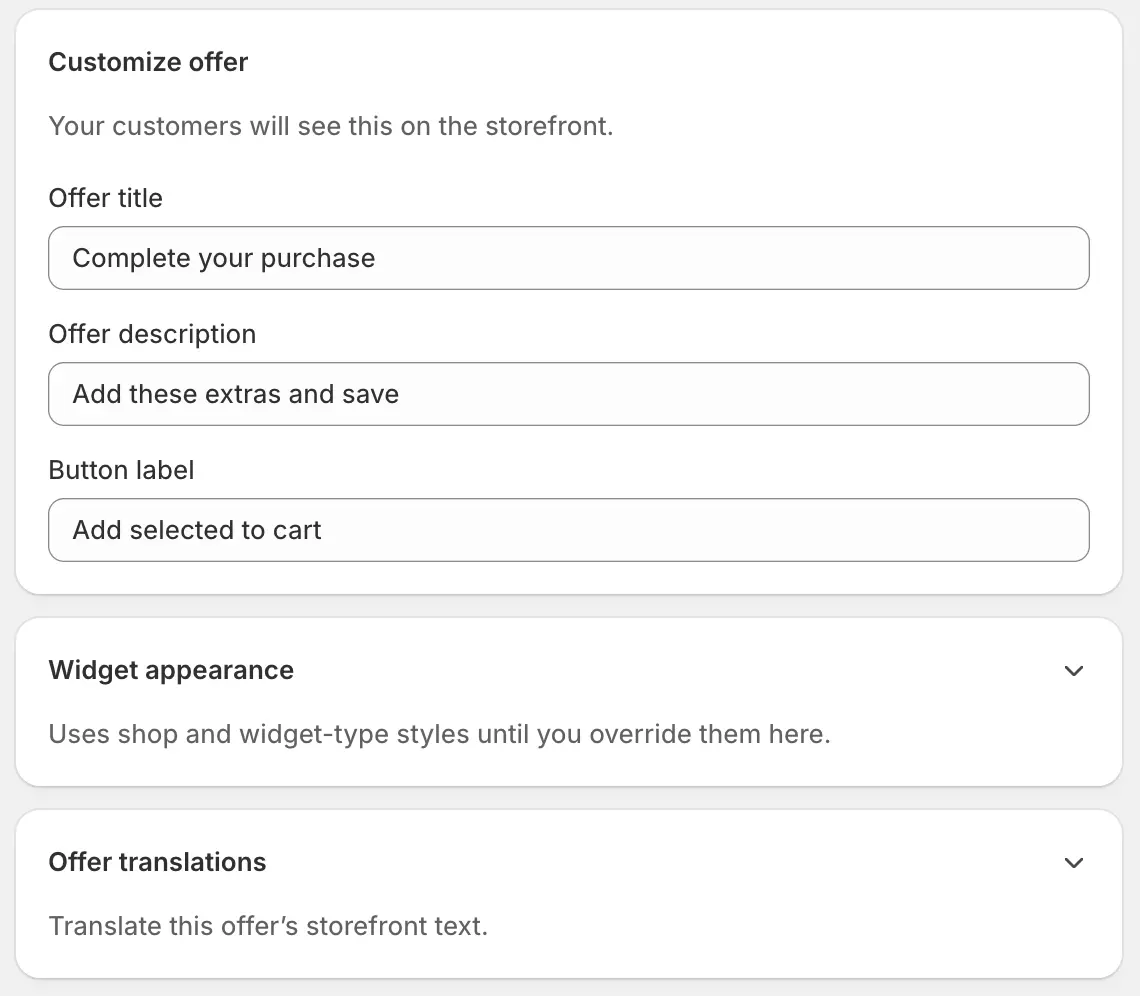
- Offer title
- Default placeholder: “Complete your purchase”.
- Offer description
- Line under the title, for example “Add these extras and save”.
- Button label
- Usually “Add selected to cart”.
- Widget appearance
- Optional theme overrides for this add-on only.
- Offer translations
- Per-language title, description, button, and related labels. Blank keeps the primary-language text.
Save, enable, and go live
Create, then Enable
Save, Enable, and confirm the app embed is saved. Open the required product page and tick extras through to checkout.
Wait for Enabled · Live
Sync badge. Without the required product in the cart, extras should not receive the deal.